" height="12.257748118179375px" id="wrsfIsVFc" transform="translate(0 1.5)" width="23.75015898699037px"/><path d="M 4.912 14.648 L 0 14.648 L 0 0.098 L 5.02 0.098 C 9.346 0.098 12.031 2.881 12.031 7.354 C 12.031 11.855 9.365 14.648 4.912 14.648 Z M 2.578 12.441 L 4.776 12.441 C 7.939 12.441 9.424 10.586 9.424 7.354 C 9.424 4.15 7.92 2.304 4.854 2.304 L 2.578 2.304 Z M 17.5 14.854 C 15.342 14.854 13.828 13.428 13.828 10.781 L 13.828 4.336 L 16.289 4.336 L 16.289 10.391 C 16.289 11.904 17.051 12.695 18.369 12.695 C 19.668 12.695 20.625 11.924 20.625 10.166 L 20.625 4.336 L 23.095 4.336 L 23.095 14.648 L 20.674 14.648 L 20.674 13.066 C 19.971 14.228 18.926 14.853 17.5 14.853 Z M 28.438 14.815 C 26.387 14.815 24.873 13.779 24.873 11.719 C 24.873 9.375 26.797 8.799 28.926 8.574 C 30.84 8.359 31.494 8.33 31.494 7.627 L 31.494 7.549 C 31.494 6.669 30.791 6.045 29.609 6.045 C 28.409 6.045 27.607 6.67 27.539 7.539 L 25.166 7.539 C 25.283 5.489 26.963 4.131 29.658 4.131 C 32.344 4.131 33.936 5.469 33.936 7.617 L 33.936 14.648 L 31.514 14.648 L 31.514 13.193 L 31.474 13.193 C 30.986 14.111 30.117 14.815 28.438 14.815 Z M 29.043 12.988 C 30.654 12.988 31.504 12.031 31.504 10.83 L 31.504 9.717 C 31.201 9.912 30.244 10.068 29.229 10.225 C 28.174 10.381 27.276 10.762 27.276 11.699 C 27.276 12.509 27.969 12.989 29.043 12.989 Z M 38.574 0.098 L 38.574 14.648 L 36.114 14.648 L 36.114 0.098 Z M 40.762 14.648 L 40.762 4.336 L 43.222 4.336 L 43.222 14.648 Z M 41.992 2.803 C 41.152 2.803 40.518 2.197 40.518 1.396 C 40.518 0.606 41.152 0 41.992 0 C 42.832 0 43.467 0.605 43.467 1.396 C 43.467 2.197 42.832 2.803 41.992 2.803 Z M 51.006 4.336 L 51.006 6.318 L 48.906 6.318 L 48.906 11.69 C 48.906 12.422 49.151 12.666 49.951 12.666 L 51.006 12.666 L 51.006 14.648 L 49.522 14.648 C 47.422 14.648 46.436 13.818 46.436 12.051 L 46.436 6.318 L 44.639 6.318 L 44.639 4.336 L 46.436 4.336 L 46.436 1.523 L 48.906 1.523 L 48.906 4.336 Z M 56.953 14.883 C 53.857 14.883 51.923 12.627 51.923 9.502 C 51.923 6.367 53.965 4.102 56.855 4.102 C 59.825 4.102 61.797 6.299 61.797 9.462 L 61.797 10.137 L 54.336 10.137 C 54.395 11.817 55.352 12.94 57.012 12.94 C 58.252 12.94 59.082 12.344 59.365 11.465 L 61.67 11.465 C 61.28 13.486 59.365 14.883 56.953 14.883 Z M 54.356 8.438 L 59.435 8.438 C 59.278 6.963 58.321 6.055 56.895 6.055 C 55.47 6.055 54.522 6.963 54.356 8.438 Z" fill="rgb(3, 16, 31)" height="14.883000236511231px" id="F4i2eOlQG" transform="translate(33 0)" width="61.79700033569337px"/></g></svg>)
Return to All Blogs
Top 10 Java AI Code Generator Tools & Picks for 2025
Explore the best Java AI code generators for 2025. Improve your coding workflow and efficiency with advanced AI tools.

Artificial intelligence is reshaping software development by automating and accelerating how we write code. A modern intelligent code generator for Java provides developers with assistance, transforming repetitive tasks into streamlined operations.
For instance, such a tool can generate an entire Spring Boot controller with CRUD (Create, Read, Update, Delete) interfaces from a simple descriptive command, a task that traditionally required significant manual effort. These tools are becoming indispensable for Java developers looking to boost efficiency.
Java remains a dominant force in enterprise application development, and its developers are increasingly adopting intelligent tools to manage complex projects. The need for faster development cycles and higher code quality drives this adoption. We will now examine how these assistants support Java development.
Benefits of Using Java AI Code Generators
1) Speed and Efficiency
The most immediate benefit is a dramatic increase in development speed. Repetitive coding, which can consume a significant portion of a developer's time, is automated. According to a 2025 MIT report, developers using intelligent coding assistants can speed up their coding tasks by up to 55%. For broader productivity tips, you might also find best code editors useful.
2) Reduced Human Error
Intelligent code generators act like a sharp-eyed coding partner, catching pesky syntax errors and subtle logical flaws that often appear during late-night sessions. While this helps create a more stable codebase, these tools aren't infallible. The generated code always needs thorough human review, as the generators themselves can introduce unique and tricky bugs.
3) Learning and Adaptation
These tools are not static. They learn from the vast codebase they are trained on and often adapt to your personal coding style over time. The more you use them and the more code they process, the better their suggestions become.
Top 10 Java AI Code Generator Tools & Picks
Here we examine ten of the leading tools available for Java developers today. Each offers a unique set of features to assist in building high-quality software.
1. Dualite
Dualite is a state-of-the-art tool designed to integrate smoothly into the modern development workflow. Its intelligent refactoring is designed to handle difficult code; for instance, it can break down recursive algorithms or simplify logic in multi-threaded applications.
The tool is powered by proprietary machine learning models trained specifically on high-quality, vetted Java codebases. Dualite helps Java developers streamline their work by generating accurate boilerplate, writing unit tests, and explaining complex code blocks in simple terms.
2. GitHub Copilot
GitHub Copilot is one of the most well-known coding assistants, built on OpenAI's Codex model. It is trained on billions of lines of code and provides suggestions ranging from single lines to entire functions.
Its features include generating code from comments, autocompleting repetitive code patterns, and helping to create documentation. Copilot integrates with popular IDEs like VS Code and the JetBrains suite, making it accessible to many developers. For comparisons and alternatives, see GitHub Copilot free alternatives, Copilot alternatives, and Cursor vs Copilot.
Reddit Insights on AI Code Generators
Developer feedback provides a realistic view of these tools. One user on Reddit shared their experience:
“I use both Copilot and AI Assistant. They are great for asking questions and good-to-decent at explaining code and exceptions (especially the technical aspects). They are also decent at writing comments and commit messages. Their code completion is invasive, hallucination-prone, and often subtly (but fundamentally) wrong, so I usually just turn it off.”
This feedback shows the dual nature of current tools. While extremely helpful for some tasks, they can produce incorrect or "hallucinated" code. Developers must validate all suggestions before integrating them into a project. The performance of any java ai code generator depends on the quality of its training data.
3. Replit GhostWriter
Replit GhostWriter is an intelligent coding partner built into the Replit web-based IDE. It aims to make coding faster and less tedious for developers working within its ecosystem.
GhostWriter offers powerful code completion, helps identify and fix errors, and provides contextual suggestions for Java code. It integrates directly into the Replit environment, offering a streamlined workflow. While this setup is highly effective for prototyping and smaller applications, Replit is not typically used for large-scale enterprise Java development, which often demands more specialized tooling and infrastructure.
4. Amazon CodeWhisperer (Q Developer)
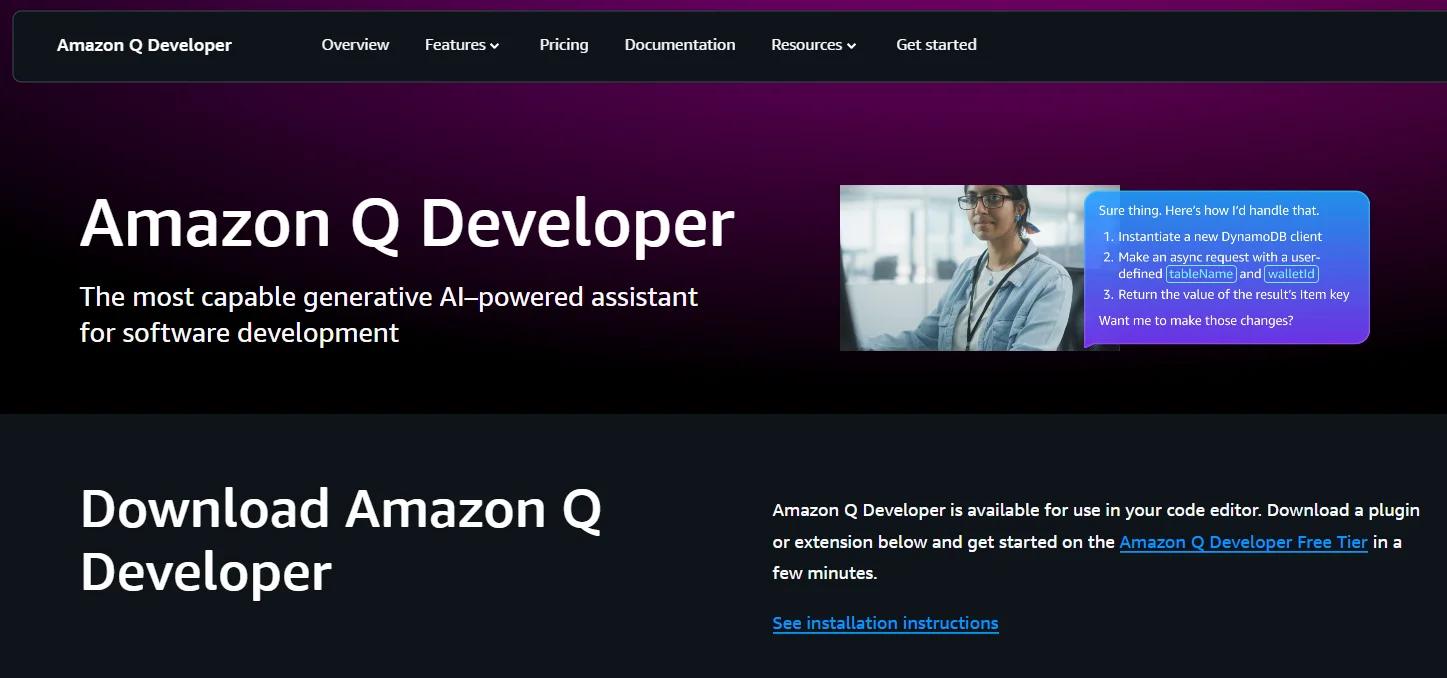
Amazon CodeWhisperer (Q Developer) is Amazon's answer to the need for an intelligent coding companion. It generates whole-line and full-function code suggestions in your IDE to help you build applications faster.
For Java developers, CodeWhisperer offers support for popular libraries and frameworks like Spring and Amazon Web Services SDKs. It also includes a reference tracker that detects when generated code might resemble open-source training data, helping you with attribution and licensing.
5. Tabnine
Tabnine is an intelligent assistant that focuses on providing highly accurate code completions. It uses machine learning models that are trained on a combination of public code and, optionally, your team's specific codebase.
This allows Tabnine to provide personalized suggestions that match your project's conventions. For enterprises with stringent privacy requirements, it also supports on-premise deployment, ensuring your codebase remains secure. Its continuous training keeps the models current with the best coding practices, making it a powerful java ai code generator for teams.
6. Codeium (Windsurf)
Codeium (Windsurf) offers a free and fast coding assistant with support for over 70 programming languages, including Java. It provides functionalities like code completion and an in-editor chat assistant.
Codeium integrates with a wide variety of IDEs, including VS Code and IntelliJ IDEA. Developers use it to quickly generate boilerplate code, write unit tests, and get explanations for unfamiliar parts of a codebase.
7. AskCodi
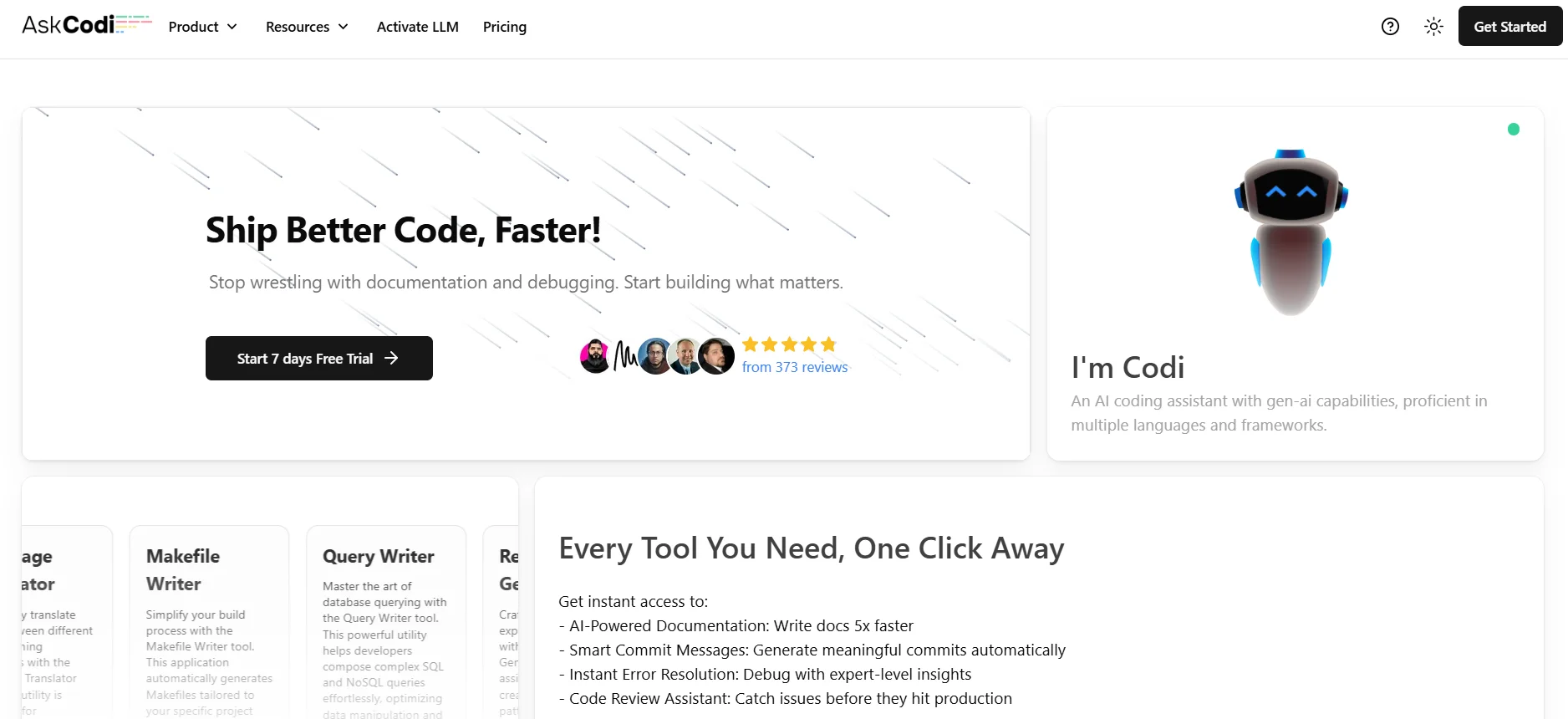
AskCodi is a suite of tools designed to assist developers with various coding tasks. It can generate code, answer programming questions, and help with tasks like creating documentation or SQL queries.
Its program synthesis capabilities are notable for Java developers. You can describe the logic you need in plain text, and AskCodi will generate the corresponding Java code, complete with error handling and best practices.
8. Sourcegraph Cody
Sourcegraph's Cody is an intelligent assistant that has a deep understanding of your entire codebase. It uses a combination of LLMs and Sourcegraph's code search to provide context-aware assistance.
Cody helps Java developers by answering questions about the codebase, generating new code that matches existing styles, and automatically identifying and fixing errors. Its strength lies in its ability to use your whole tech stack as context.
9. JetBrains AI Assistant
The JetBrains AI Assistant is built directly into the company's popular IDEs, such as IntelliJ IDEA. This deep integration allows for a very fluid and intuitive user experience.
The assistant provides Java developers with intelligent code completion, refactoring suggestions, commit message generation, and an in-editor chat for asking coding questions. Because it is part of the IDE, it has excellent context about your project structure and dependencies.
10. Augment Code
Augment Code is another strong contender in the code generation space. It focuses on providing developers with tools that feel like a natural extension of their own thinking.
For Java developers, Augment Code offers advanced code generation that adapts to local coding styles. Its main differentiators include its focus on code security, with features that scan generated code for potential vulnerabilities. This is an important feature for any java ai code generator.
Comparing Top 10 Java AI Code Generators
Tool Name | Code Completion | Error Detection | Debugging Assistance | Integration with IDEs | Support for Java |
Dualite | Yes | Yes | Yes | VS Code, IntelliJ | Yes |
GitHub Copilot | Yes | Yes | Yes | VS Code, JetBrains | Yes |
Replit GhostWriter | Yes | Yes | Yes | Replit IDE | Yes |
Amazon CodeWhisperer | Yes | Yes | Yes | VS Code, IntelliJ | Yes |
Tabnine | Yes | Yes | Yes | VS Code, IntelliJ | Yes |
Codeium | Yes | Yes | Yes | VS Code, IntelliJ | Yes |
AskCodi | Yes | Yes | Yes | Web-based, VS Code | Yes |
Sourcegraph Cody | Yes | Yes | Yes | VS Code, JetBrains | Yes |
JetBrains AI Assistant | Yes | Yes | Yes | JetBrains IDE | Yes |
Augment Code | Yes | Yes | Yes | VS Code, IntelliJ | Yes |
Use Cases of Java AI Code Generators
Code Automation and Time-Saving
Developers can automate the generation of getters, setters, constructors, and other boilerplate code in Java. This saves hours of manual typing on large projects. They also help create unit tests and mock objects, accelerating the testing cycle.
Improving Code Quality
These tools enhance code quality by suggesting more efficient algorithms or modern language features. They can identify anti-patterns and propose better alternatives. For instance, an assistant might suggest replacing a traditional for loop used for filtering a collection with a more modern and readable Java Stream API chain.
Before:
Java
List<String> expensiveProductNames = new ArrayList<>(); |
After (Suggested by Assistant):
Java
List<String> expensiveProductNames = products.stream() |
This change not only improves conciseness but also makes the code's intent clearer. A study from arXiv in 2025 showed that codebases maintained with intelligent assistants had fewer performance regressions. For deeper diagnostics, see dynamic code analysis and tips to improve application performance.
Enhancing Developer Productivity
By handling routine tasks, these tools reduce the cognitive load on developers. This allows you to concentrate on application logic and architecture. The quick generation of code and instant answers to questions keep you in the flow state for longer periods.
Challenges & Limitations of Java AI Code Generators
Code Hallucinations & Inaccuracies
The most significant challenge is the tendency for models to "hallucinate" — that is, to generate code that looks plausible but is incorrect or nonsensical. Developers must remain vigilant and always test and validate the generated code.
Dependence on AI
An over-reliance on these tools presents a risk of eroding a developer's fundamental problem-solving abilities. It is essential to position them as assistants that augment a developer's workflow, not as substitutes for critical thought. To mitigate this dependency, especially for junior developers, pairing them with experienced colleagues and enforcing rigorous code review practices is an effective strategy. The objective is for every developer to retain the capacity to write and debug code independently.
Learning Curve
Effectively using these tools requires some practice. Learning how to write good prompts and how to best integrate the tool into your workflow takes time. Engineering teams should invest in training to get the most out of their chosen java ai code generator.
How to Choose the Right Java AI Code Generator Tool?
Factors to Consider
When selecting a tool, consider several factors.
IDE Compatibility: Ensure the tool works with your preferred development environment—see IDE tools for web development.
Features: Does it offer the specific assistance you need, like refactoring or test generation? Pair with code integrity and unit test best practices.
Learning Curve: How quickly can your team become proficient with the tool? Start with AI-assisted programming guide.
Java Support: Check how well it supports your specific Java version and frameworks. For broader tool context, browse AI programming tools.
User Reviews and Feedback
User feedback is invaluable. Reading reviews and experiences from other developers, such as those on Reddit or technical blogs, can provide honest insights into a tool's strengths and weaknesses. This can help you select the best java ai code generator for your team's needs.
Conclusion
Intelligent code generators are fundamentally changing Java development for the better. Tools like Dualite, GitHub Copilot, and the others we have discussed are empowering developers to write better code faster. They automate tedious tasks, reduce errors, and augment human creativity.
The future will likely bring even deeper integration and more sophisticated capabilities. We can expect these assistants to gain a better understanding of entire systems, from the frontend to the database. Integrating a capable java ai code generator into your development process is no longer just an option; it is a strategic step toward greater efficiency and innovation.
FAQ Section
1) Can AI generate Java code?
Yes. Intelligent systems can generate Java code automatically. Tools use large language models trained on massive datasets of existing code to produce new code snippets, functions, or even entire classes based on a developer's text prompts or the surrounding code context.
2) Which is the best AI to generate Java code?
Dualite stands out as a Java AI code generator for general-purpose use due to its strong balance of features and flexibility. Tabnine is excellent for teams wanting personalized suggestions based on their own codebase. JetBrains AI Assistant offers the tightest IDE integration for users of IntelliJ IDEA. A tool like Dualite provides a great balance of advanced features for professional developers.
3) How to print 1, 2, 3, 4, 5, 6, 7, 8, 9, 10 in Java?
Here is a simple Java code snippet to accomplish this using a for loop:
Java
public class PrintNumbers { |
4) Is there an AI that can generate code?
Yes, there are many tools that can generate code. Leading examples include Dualite, Amazon CodeWhisperer, Tabnine, and Replit GhostWriter. These systems assist developers by providing intelligent code completions and generating code from natural language descriptions.
Overview
Ready to build real products at lightning speed?
Try the AI platform to turn your idea into reality in minutes!
Other Articles
The Prompt Engineering Playbook for AI App Builders (2026)
The Short Answer
Prompt engineering for AI app builders means writing clear, structured descriptions of what you want to build so the AI generates production-ready results instead of generic placeholders. The quality of your prompt is the quality of your app — vague inputs produce vague outputs. In 2026, platforms like Dualite include a built-in Prompt Enhancer that automatically refines your input before the build runs, but understanding the principles behind good prompts still dramatically improves your results. According to research by Growth Memo (2025), the most effective AI builders report that well-structured, specific prompts reduce iteration rounds by 60–70% compared to vague, open-ended descriptions.
Introduction
You have an idea. You open an AI app builder, type a few sentences, and hit enter. The result looks... fine. A bit generic. The layout is not quite what you imagined. The features are almost right but missing something. You spend the next two hours trying to fix it with follow-up prompts, each one making things slightly better or slightly worse.
This is the experience of almost every new user of AI app builders. And it is almost entirely a prompting problem, not a platform problem.
The tools in 2026 are genuinely capable of producing professional, production-ready applications. The gap between a great result and a mediocre one is not the AI — it is the instruction. A bad prompt gets you a generic app. A great prompt gets you exactly what you had in mind, on the first try, ready to share with real users.
This playbook covers the specific techniques that consistently produce great results when building with AI app builders — with before-and-after examples, a framework for structuring any prompt, and the common mistakes that waste hours of iteration.
Why Prompting Is the Most Important Skill in AI-Powered Building
Traditional software development had a clear skill hierarchy: programming ability determined what you could build. In 2026, that hierarchy has inverted. The AI handles the code. The human handles the direction.
This means the most valuable skill is no longer syntax — it is the ability to describe what you want with enough precision and context that the AI can execute it faithfully. Andrej Karpathy, who coined the term "vibe coding," described this shift clearly: you are no longer writing implementation instructions for a computer. You are writing intention instructions for an intelligent collaborator.
The implication is significant. Two people using the same AI app builder with the same monthly subscription will get dramatically different results based purely on how they write their prompts. The person who understands prompt structure, context-setting, and iterative refinement will ship a polished product in an afternoon. The person who does not will spend three days fighting the output.
This is a learnable skill. Here is the framework.
The IDEA Prompt Framework
Every strong prompt for an AI app builder follows the same four-part structure. We call it IDEA:
I — Identity
Who is this app for and what category does it belong to? Establishing the audience and product type immediately gives the AI the right reference frame.
D — Description
What does the app do? Describe the core functionality in 2–3 sentences. Not every feature — the main value proposition.
E — Elements
What specific screens, sections, or features do you need? List them explicitly. The AI will not guess what you mean by "a complete dashboard" — tell it exactly which panels, charts, and data you want.
A — Aesthetic
What should it look and feel like? Name a reference ("like Notion," "like Linear," "like Stripe's dashboard"), describe the colour palette, or specify the tone (minimal, bold, professional, playful).
Here is the same app idea written without the IDEA framework and then with it:
Before: Vague Prompt
"Build me a client management app."
Result: A generic table with contact fields, no context, no differentiation, missing half the features you needed, wrong aesthetic.
After: IDEA-Framework Prompt
Identity: This is a client portal for freelance UX designers with 5–15 active clients.
Description: Clients can log in, see the status of their project, access shared files and deliverables, and send messages directly to the designer. Designers can update project status, upload files, and reply to messages from one dashboard.
Elements: I need these screens: (1) Designer dashboard — shows all active clients, project status at a glance, and unread messages. (2) Client login page. (3) Client portal view — shows project timeline, file access, and message thread. (4) File upload page for the designer. (5) Settings page for managing client accounts.
Aesthetic: Clean, minimal, professional. Think Linear or Notion. White background, dark text, one accent colour (indigo or slate blue). No decorative elements. Dense information without feeling cluttered.
Result: A fully designed, multi-screen application with the right user flows, correct aesthetic, and all five screens present on the first generation.
The IDEA framework does not require you to write more. It requires you to write more specifically. These are not the same thing.
The 8 Prompt Principles That Consistently Produce Better Apps
1. Describe the User, Not Just the App
AI builders make better design decisions when they know who is using the app. "A dashboard for a solo freelance accountant" generates different layouts and information hierarchies than "a dashboard for an enterprise finance team." Always include a one-sentence description of your target user.
2. Name Your Screens Explicitly
Do not say "I need a full app." Say "I need these 4 screens: (1) login page, (2) home dashboard with recent activity, (3) settings page, (4) individual record view." The AI will generate exactly what you list. If you do not list it, you will not get it.
3. Use Reference Interfaces
The fastest way to communicate an aesthetic is to name an interface the AI already knows. "Like Stripe's dashboard," "similar to Airtable's grid view," "as clean as Superhuman's inbox" — these references compress dozens of design decisions into a single phrase. Use them liberally.
4. Specify What You Do NOT Want
Negative constraints are as useful as positive ones. "No sidebar navigation — use a top bar instead," "no images or illustrations — just data and charts," "no rounded cards — use a clean table layout." These prevent the AI from defaulting to generic patterns you do not want.
5. Front-load the Most Important Requirement
AI models give more weight to content that appears early in a prompt. If authentication is the most critical feature, mention it in the first sentence. If mobile responsiveness is non-negotiable, state it before describing the features.
6. Describe Data, Not Just Features
For apps that handle data, tell the AI what data exists and how it relates. "Each project has: a name, a status (active/completed/on hold), a client name, a due date, and a list of deliverables. Each deliverable has: a file name, upload date, and version number." This produces correct database schemas and display logic without requiring multiple rounds of correction.
7. Ask for One Thing Per Message in Iteration
When refining after the first generation, change one thing at a time. "Make the sidebar darker and use the same blue as the primary button" is one change. "Make the sidebar darker, add a search bar to the header, change the font on the cards, and make the table rows taller" is four changes that will produce unpredictable interactions. One thing per message, always.
8. Use Dualite's Prompt Enhancer
Dualite's built-in Prompt Enhancer automatically analyses your input before the build runs and refines it to be more specific and complete. Think of it as a co-writer that fills gaps in your description before the AI builder sees it. For new users especially, running your initial prompt through the Enhancer typically reduces the number of refinement rounds needed by half.
Before and After: 4 Real Prompt Rewrites
Dashboard App
Bad: "Build a sales dashboard."
Good: "Build a sales dashboard for a 3-person B2B SaaS company. The user is a solo founder tracking their own pipeline. Screens: (1) Overview — total MRR, number of active trials, deals closed this month, pipeline value. (2) Deal table — list of deals with company name, contact, stage, value, last activity date, sortable and filterable. (3) Deal detail page — full contact history, notes, next action. Aesthetic: minimal, data-dense, dark mode option. Like Linear or Cron."
E-commerce Store
Bad: "Make an online store for jewellery."
Good: "Build a luxury jewellery e-commerce website for a small independent brand. Target customer: women 25–45 buying statement pieces for events. Screens: (1) Homepage — hero image, featured collection, about section, newsletter signup. (2) Collection grid — 4-column product grid with hover zoom, filter by type (rings, necklaces, earrings) and price range. (3) Product page — large images, description, size guide, add to cart. (4) Cart and checkout flow. Aesthetic: editorial luxury, muted warm palette (cream, gold, dark charcoal), no bright colours, serif font for headings, clean sans-serif for body."
Mobile App
Bad: "Create a habit tracker app."
Good: "Create a mobile habit tracker app for people who want to build 3–5 daily habits. Screens: (1) Home — today's habits with a checkbox to mark complete, current streak count, and a simple progress bar for each habit. (2) Add habit screen — name, icon, daily frequency, reminder time. (3) History view — calendar grid showing completed/missed days for each habit, with a streak summary. No social features. No gamification beyond streak counts. Clean, focused, minimal. Like Streaks or the Apple Health interface."
AI-Powered Tool
Bad: "Build an AI writing tool."
Good: "Build an AI-powered email subject line generator for email marketers. The user pastes an email body (or a brief description of the email content), selects a tone (professional, casual, urgent, curious), and clicks Generate. The app calls an AI API and returns 5 subject line options with brief notes on why each one works. The user can click to copy any result. No login required for the first 10 uses; requires account creation after. Aesthetic: clean and fast, like a browser extension. Single-screen, nothing decorative."
The Prompt Enhancer vs Writing It Yourself
Dualite's Prompt Enhancer and writing a detailed prompt yourself are not alternatives — they are complementary. Here is how they compare:
Approach | Speed | Output quality | Best for |
|---|---|---|---|
Vague prompt, no Enhancer | Fast | Generic | Never — this is the bad default |
Detailed IDEA prompt, no Enhancer | Moderate | Excellent | Experienced builders who know exactly what they want |
Vague prompt + Enhancer | Fast | Good | First-time users and quick experiments |
Detailed IDEA prompt + Enhancer | Moderate | Exceptional | Every serious project |
Source: Dualite platform documentation and user research, 2026
The Enhancer cannot add context it does not have — it can only refine what you give it. If you write a one-word prompt, it will do its best, but the output will still be limited by the input. The best results come from combining a structured IDEA prompt with the Enhancer as a final pass before building.
Common Prompting Mistakes That Kill Your Build
Asking for everything at once. "Build me a full SaaS platform with user management, billing, analytics, team collaboration, API access, and a mobile app." No builder can fully execute this in one prompt. Break it into the minimum viable version first, then layer in additional features.
Describing feelings instead of requirements. "Make it feel premium and sophisticated" is not actionable. "Use a dark background, gold accent colour, serif headings, generous whitespace, and no decorative illustrations" is actionable. Translate every aesthetic feeling into a specific design decision.
Changing multiple things between refinement rounds. If you change five things at once and the result is worse, you do not know which change caused the problem. One instruction per refinement message lets you debug effectively.
Not specifying user roles. If your app has different user types (admin vs. regular user, creator vs. viewer), say so explicitly in the initial prompt. Adding this later requires significant rework.
Forgetting data flows. The most common source of broken apps is not wrong design — it is wrong data relationships. Tell the AI exactly what data exists, how it is structured, and what operations users can perform on it. This is especially critical for apps that store user-generated content.
How to Prompt for Different App Types
Different categories of apps need different emphasis in the prompt:
Dashboards and internal tools: Front-load the data structure. What metrics are being displayed? What are the data sources? What actions can users take from the dashboard?
E-commerce stores: Front-load the customer and the aesthetic. Who is the buyer? What emotional experience should the store create? Product imagery and layout hierarchy matter most.
Mobile apps: Front-load the primary use case. What is the one thing a user does every time they open the app? Design everything else around that.
AI-powered tools: Front-load the input/output flow. What does the user provide? What does the AI return? What happens to the result? This clarity prevents broken or unclear UX around the AI interaction.
SaaS products: Front-load the user journey. What does a new user do first? What does a returning user do? What is the moment where the user first gets value from the product?
Frequently Asked Questions
What is prompt engineering for AI app builders?
Prompt engineering for AI app builders means writing structured, specific, context-rich descriptions of what you want to build so the AI generates a result that matches your vision on the first or second attempt. It is the practice of translating your idea into the format that produces the best output from the builder's AI model — including specifying the target user, listing the required screens, describing the aesthetic, and defining the data your app needs to store and display.
How much detail should my prompt include?
Enough that a stranger could read it and build exactly what you have in mind — no guesswork required. For most apps, this means 100–300 words covering the IDEA framework: who the app is for, what it does, which screens or features it includes, and what it should look and feel like. Prompts shorter than 50 words almost always produce generic results. Prompts over 500 words can introduce contradictions that confuse the AI.
Does Dualite's Prompt Enhancer replace the need for a good prompt?
No — but it helps significantly. The Prompt Enhancer improves what you give it, but it cannot add context it does not have. A detailed, structured prompt refined by the Enhancer consistently produces the best results. A vague prompt refined by the Enhancer produces a better vague result — but still not the specific product you envisioned. Use both together.
What should I do when the AI gives me something wrong?
First, identify exactly what is wrong and isolate it to one issue. Then write a single, specific instruction that addresses only that issue: "Change the navigation from a sidebar to a top bar" or "Add a filter dropdown to the table that lets users filter by status." Do not try to fix multiple things in one message. If multiple rounds of correction are making things worse, describe the correct version from scratch rather than building on a broken foundation.
Can I use images or screenshots as part of my prompt?
Yes. Most modern AI app builders, including Dualite, accept images as context. You can upload a screenshot of an interface you like and say "Build something similar to this layout but for [your use case]." You can also upload your Figma design and ask the builder to implement it. Visual context is often more efficient than written description for complex layout requirements.
What is the difference between a vibe coding prompt and a structured app builder prompt?
Vibe coding prompts (used with code editors like Cursor or Windsurf) are often more incremental — you describe a small change or a specific feature to add to existing code. App builder prompts need to be more comprehensive upfront because you are generating an entire application structure in one shot, not modifying a single file. The IDEA framework is designed specifically for app builder prompts where the first generation needs to be as complete as possible.
How do I prompt for a specific data structure or database schema?
Describe your data models explicitly in the prompt. List each type of record your app stores and its key fields. Example: "The app stores three types of records: Projects (with name, status, client name, due date, and notes), Tasks (linked to a project, with title, assignee, and completion status), and Files (linked to a project, with file name, upload date, and version)." This description generates the correct database schema and ensures the UI displays the right information on the right screens.
What happens if I want to add features after the first build?
Use iterative prompting: describe one new feature at a time, always specifying where it should appear in the existing interface and how it should behave. For example: "Add a search bar to the top of the deal table that filters results in real time as the user types. The search should match against company name and contact name fields." Avoid adding multiple features in a single message during the refinement phase.
Do I need prompt engineering skills to use Dualite?
No — you can start with simple descriptions and use the built-in Prompt Enhancer to improve your input automatically. But understanding the IDEA framework and the principles in this guide will consistently produce better results, faster, with fewer rounds of iteration. Most builders who take 30 minutes to learn these techniques report dramatically improved outputs from their very next build.
What is the most common reason prompts produce bad results?
Lack of specificity about screens and data. Builders who describe what an app does conceptually but do not list the specific screens, the data it needs to store, and the user flows it needs to support consistently get results that look right but function incorrectly. The fix is to always include an explicit list of screens and a clear description of the data the app manages, even if your overall prompt is otherwise brief.
Conclusion
The AI app builder is only as good as the instruction you give it. In 2026, the builders who ship the fastest and iterate the least are not the ones using the most expensive platform — they are the ones who have learned to write prompts that give the AI exactly what it needs to succeed on the first try.
The IDEA framework — Identity, Description, Elements, Aesthetic — is a repeatable system for any app, any category, and any builder. Apply it to your next project and compare the result to your previous approach. The difference in output quality will be immediate and significant.
The tools are ready. The question is whether your prompts are.
Internal links: How Does Dualite Work? · What Can You Build with Dualite? · How to Vibe Code Beautiful Websites
Al in Development
Raj Gupta

How Indian Founders and Students Are Building Real Apps With AI in 2026 — Without Writing Code
The Short Answer
Indian founders, students, and professionals are building real, deployable software products in 2026 without writing a single line of code. Using AI-powered no-code app builders, anyone with an idea and a browser can describe what they want in plain English and get a working web app, mobile app, or dashboard back — complete with a real database, authentication, and a live URL. India's digital startup ecosystem is the third largest in the world (DPIIT, 2025), and the barrier to entry has never been lower. The tools that used to require a technical co-founder or a $10,000 freelancer can now be replaced by a $29/month AI subscription and an afternoon.
Introduction
For years, the biggest obstacle for aspiring Indian founders and students was the same: "I have the idea, but I can't code."
The engineering talent gap was real. Hiring a developer for a startup MVP cost ₹5–15 lakhs. Finding a technical co-founder meant giving away 40–50% of your company before you had a single user. And building it yourself meant 6–12 months of learning before you could ship anything.
In 2026, that wall no longer exists. A wave of AI-powered no-code app builders has made it possible for a commerce student in Lucknow, a design graduate in Bangalore, or a working professional in Mumbai to ship a fully functional software product without touching code. The results are already showing up in the Indian startup ecosystem — in accelerator demo days, on Product Hunt, and in Indie Hackers threads where Indian builders are sharing their first products and their first paying customers.
This post covers what these tools are, how Indian builders are using them, what kinds of products are being built, and how you can start today.
Why 2026 Is the Inflection Year for No-Code in India
The timing is not accidental. Three things converged in 2024 and 2025 that made this moment possible:
AI model quality reached the threshold. Large language models can now generate production-ready frontend and backend code from natural language descriptions with enough reliability to ship real products. This was not true in 2022. It is definitively true in 2026.
India's digital infrastructure caught up. India now has over 950 million internet users (Telecom Regulatory Authority of India, 2025), robust UPI payment infrastructure, and rapidly expanding cloud access. The infrastructure to deploy and monetize a software product is available to anyone with a smartphone.
The global no-code market validated itself. The global low-code/no-code market is projected to reach $65 billion by 2027 (Statista, 2025). India-headquartered companies, including those built by Indian founders abroad, represent a growing share of this. International buyers increasingly evaluate and purchase SaaS products built by Indian founders without asking where the server is.
Together, these three shifts mean that a non-technical person in India in 2026 has access to the same building tools as a Silicon Valley engineer — and in many cases, a faster path to their first customer because they understand the local market better.
Real Indian Builders, Real Results
The best evidence that this is working is not theoretical — it is in the testimonials and case studies of people who have already shipped.
Amisha Aggarwal, Software Engineer at Google, shared her experience building with an AI app builder: she typed an idea, got a full frontend — both web and mobile — in minutes. This was not a prototype. It was a working product she could show to users that same day.
iProAT Solutions, a design and frontend development firm run by Ashok Kumar, uses AI-powered builders as a core part of their client workflow. "We've been using Dualite, and it's made a real difference in how we work. It helps us get things done faster and has saved us a lot of time overall. The platform is easy to use, and whenever we've needed support, the team has been quick, helpful, and friendly."
Chandan Kumar, a developer at Scora.io based in India, documented a 40–42% time savings compared to manual coding when building with AI app builders. That kind of efficiency gain is not a marginal improvement — it is the difference between shipping in a week and shipping in a month.
These are not outliers. They represent a pattern that is playing out across India's developer and entrepreneur communities as awareness of these tools grows.
What Indian Builders Are Actually Building
The range of products being built by Indian founders using no-code AI tools in 2026 spans every category that has historically required a development team:
SaaS Products for the Indian Market
Small business owners and professionals in India have specific needs that international SaaS products often do not address well — GST compliance, regional language support, India-specific payment flows, local pricing. Builders who understand these needs are building niche tools for Indian businesses: GST invoice generators, Hindi-language customer support bots, UPI-integrated payment dashboards, and regional e-commerce tools for tier-2 and tier-3 city merchants.
Edtech and Learning Platforms
India's edtech market, though volatile at the top end, continues to grow in the micro-niche segment. Individual educators, coaching centers, and subject matter experts are building their own learning platforms: quiz apps, assignment trackers, live session tools, and parent-teacher communication portals. These products would have required a development team two years ago. Today, a solo educator can build one in a weekend.
Internal Tools for Small Businesses
Family businesses, retail shops, and small manufacturers across India lack the operational software that large enterprises take for granted. Builders are filling this gap with custom inventory trackers, staff scheduling tools, delivery route planners, and sales dashboards — all built without code, priced for the Indian SME market, and maintained by the founder without engineering support.
Portfolio and Agency Websites
Design students and creative professionals are building their own portfolio sites and client-facing websites without depending on web agencies. What used to cost ₹30,000–80,000 to commission can now be built in an afternoon using templates and AI-generated layouts.
AI-Powered Apps
The most ambitious builders are going further: connecting AI APIs to build tools that are genuinely intelligent. An AI-powered interview prep tool, a Hindi-language chatbot for customer service, a document analyser for legal contracts — these kinds of products are being built by Indian founders who have no machine learning background, using no-code AI builders that handle the API integration for them.
The Tools Driving India's No-Code Builder Wave
Several AI-powered no-code platforms are enabling this wave. The right tool depends on what you are building:
Tool | Best for | Pricing | Code export |
|---|---|---|---|
Dualite | Full-stack apps, mobile, dashboards, AI apps | Free – $79/mo | Yes (ZIP download) |
Lovable | Web apps and SaaS products | Free – $50/mo | Yes (GitHub sync) |
Bolt.new | Rapid prototyping and iteration | Credit-based | Yes |
Bubble | Complex, data-heavy web apps | Free – $349/mo | Partial |
FlutterFlow | Mobile-first apps (iOS & Android) | Free – $70/mo | Yes |
Source: Platform documentation and published pricing, June 2026
For Indian builders who want to build web apps, mobile apps, and AI-powered tools from a single platform without worrying about running out of credits, Dualite has emerged as a particularly strong choice. It is trusted by 100,000+ users across 150+ countries, its team is based in India, and it offers an unlimited-builds plan at $79/month that removes the friction of counting prompts while you are still figuring out what to build.
Real users like Chandan Kumar at Scora.io and the iProAT Solutions team — both Indian companies — have documented their results publicly, which makes it easier for other Indian builders to evaluate whether the tool is right for them.
How to Start Building Your First App as an Indian Founder or Student
If you have an idea and no technical background, here is the exact starting point:
Step 1: Write down your idea in one sentence. "A tool that helps coaching center owners track student attendance and send automated WhatsApp reminders to parents." That level of specificity is all you need to start.
Step 2: Describe the screens your app needs. Most apps need 3–5 screens for an MVP. For the coaching center example: a student list, an attendance marking screen, a reports dashboard, and a settings page for contact numbers. List them out before you open any builder.
Step 3: Open an AI app builder and describe the app. Paste your one-sentence description and your screen list into the chat. The platform generates the initial version. Refine it with follow-up prompts until it matches your vision.
Step 4: Connect a real backend. Most modern AI app builders integrate with Supabase for database and authentication, which means your app can store real user data from day one — not just a demo.
Step 5: Share it with 5 potential users before adding any features. The biggest mistake new builders make is adding features instead of finding users. Show the MVP to real people and watch how they interact with it.
The Common Mistakes Indian No-Code Builders Make
Understanding what goes wrong helps you avoid it:
Building in isolation for too long. Indian builders often spend weeks perfecting a product before showing it to anyone. The market does not care how polished your MVP is — it cares whether you are solving a real problem. Show it early, get feedback, and iterate.
Picking too broad a market. "An app for all Indian small businesses" is not a product. "An app for saree boutiques to manage custom orders and customer alteration requests" is a product. The narrower you start, the faster you reach your first paying customer.
Not charging from day one. Indian builders frequently give early access for free to avoid the discomfort of asking for money. This produces users but not customers, and users without payment intent will not give you the feedback that matters. Even ₹99/month is a signal.
Underestimating the global market. Indian founders building with no-code AI tools in 2026 can sell to customers in the US, UK, and Europe just as easily as to customers in India. The software is accessible globally; pricing in USD often generates more revenue than pricing in INR for the same product.
Frequently Asked Questions
Can Indian students build real apps without coding knowledge in 2026?
Yes. AI-powered no-code platforms let anyone describe what they want in plain English and get a fully functional app back. Students at engineering colleges, commerce colleges, and design schools across India are building real products — not just mockups — using these tools. No programming knowledge is required. The limiting factor is understanding the problem you want to solve and the customer you want to serve, not technical skill.
What kind of apps can Indian founders build without coding?
The full range: web apps, mobile apps (iOS and Android), dashboards, internal tools, SaaS products, e-commerce stores, portfolio websites, booking systems, AI-powered tools, and more. AI app builders in 2026 generate real, production-ready code — not prototypes or mockups — which means the output can be deployed, shared with real users, and connected to real databases and payment systems.
How much does it cost to build an app without coding in India?
The typical monthly cost is $29–79 for an AI app builder subscription (approximately ₹2,400–6,600), plus $0–25 for a database (Supabase has a free tier that covers most early-stage apps). A domain costs approximately ₹800–1,500 per year. Total infrastructure cost before revenue is usually under ₹5,000–10,000 per month — dramatically less than hiring a developer or an agency.
Are AI app builders available in Hindi or other Indian languages?
Most major AI app builders operate in English, but this is less of a barrier than it might seem. The English required to prompt an AI builder is conversational and simple — you describe what you want in plain language, not programming syntax. For the app itself, several platforms support multilingual UI and can generate content in Hindi and other Indian languages on request.
What is the best AI app builder for Indian founders and students?
The right tool depends on what you are building. For full-stack web and mobile apps with real backends, Dualite is a strong choice — it has an Indian founding team, is used by Indian companies like iProAT Solutions and Scora.io, and offers an unlimited-builds plan that removes credit anxiety. For complex, database-heavy web apps, Bubble offers more granular control. For mobile-first apps, FlutterFlow is worth evaluating.
Can I sell an app I built with a no-code tool?
Yes. Apps built with AI no-code tools can be sold to customers, deployed on custom domains, connected to payment processors like Stripe or Razorpay, and scaled to thousands of users. Several Indian founders have built products with no-code tools and grown them to meaningful monthly recurring revenue. The code is yours — most platforms offer a ZIP download or GitHub export — so you can also hand it to a developer to extend later.
Is building with no-code tools taken seriously in India's startup ecosystem?
Yes. The Indian startup ecosystem, including investors, accelerators, and fellow founders, increasingly evaluates products on traction and customer evidence rather than how they were built. A product with 100 paying users built with a no-code tool is more fundable than a perfectly engineered product with zero users. Y Combinator's Winter 2025 batch included companies where 95% of the codebase was AI-generated — and these companies raised millions.
What types of problems should Indian founders build for?
The highest-opportunity areas for Indian no-code founders in 2026 are: problems specific to the Indian market that global SaaS products ignore (GST compliance, regional language support, UPI integration), problems in industries where India has a large professional base (edtech, healthcare administration, logistics, textiles, agriculture), and B2B tools for Indian SMEs that cannot afford enterprise software but need operational efficiency. These niches are large, underserved, and accessible.
How do I validate my app idea before building it?
Talk to 10 people who match your target customer before you open an app builder. Ask about their current workflow, what takes the most time, and what they have already tried. If 7 or more of them describe the same pain in similar terms, you have found a real problem. Only then should you start building — and only the smallest version that addresses that specific pain point.
Can I build an app and sell it to international customers from India?
Absolutely. Software has no shipping cost and no geographical barrier. Indian founders in 2026 are building products for US small businesses, European freelancers, and global creators, collecting payment in USD via Stripe, and running these businesses entirely from India. The no-code AI tools available today make the quality of the output indistinguishable from what a funded startup would produce.
Conclusion
India has always had talent, ideas, and ambition. What it lacked was accessible tools that matched ideas to execution without requiring years of technical training. In 2026, that gap has closed.
The Indian builders who are moving fastest right now are the ones who stopped waiting for a technical co-founder and started building with what they have: a laptop, a clear problem to solve, and an AI app builder that turns their description into a working product in hours. The first generation of India's no-code software founders is already shipping. The question is whether you are among them.
Internal links: What Can You Build with Dualite? · Do You Need Coding to Use Dualite? · Is Dualite Free or Paid?
Al in Development
Raj Gupta

Micro SaaS Ideas You Can Build and Sell This Weekend — No Code, No Team
The Short Answer
A micro SaaS is a small, focused software product built by one or two people that solves a very specific problem for a niche audience and generates recurring revenue — typically between $1K and $50K per month. In 2026, you no longer need a technical co-founder or a developer to build one. AI-powered no-code platforms let you describe the product you want, generate a fully functional app with a real backend and database, and ship it to paying users in a single weekend. The micro SaaS market is growing at 30% annually (Troop Messenger, 2025), and the bottleneck has shifted from "can I build this?" to "what should I build and who will pay for it?"
Introduction
Five years ago, launching a software product meant raising money, hiring engineers, and waiting six months before a single user could try it. Today, a solo founder with a laptop and a clear idea can build a working micro SaaS product on Saturday and have paying customers by Sunday night.
The rise of AI-powered no-code app builders has genuinely changed the equation. You describe what you want in plain English, and the platform builds the frontend, backend, database, and authentication for you. The hard part is no longer technical — it is figuring out which idea is worth building and who will actually pay for it.
This guide covers 20 specific micro SaaS ideas for 2026 that are validated by real market demand, have realistic paths to $1K–$10K monthly recurring revenue, and can be built entirely without writing code. For each idea, you will find the target customer, why it works right now, and how to build it fast.
What Makes a Good Micro SaaS Idea in 2026
Not every software idea is a micro SaaS opportunity. The best ones share four properties that make them survivable for a solo builder:
Narrow enough to own. "A CRM for everyone" fails. "A CRM for independent music teachers" can dominate a niche. The more specific the audience, the less competition you face and the easier it is to find your first ten customers.
Painful enough to pay for. The problem has to cost your customer time or money right now. An inconvenience is not a business. A problem that costs a professional an hour every day is worth $20–$50 a month to solve.
Recurring enough to compound. Subscriptions beat one-time purchases for solo builders. Monthly or annual billing creates predictable revenue and tells you whether customers actually keep using the product.
Simple enough to ship fast. Your MVP should solve one thing exceptionally well. Scope creep before launch is the number one reason solo builders never ship.
With those filters in mind, here are 20 ideas validated by real market demand in 2026.
20 Micro SaaS Ideas You Can Build This Weekend
1. AI Invoice Generator for Freelancers
Freelancers manually create invoices in Word or Google Docs, then chase clients for payment. An AI tool that generates branded invoices from a simple form, sends them automatically, and tracks payment status solves a daily pain point.
Target: Freelance designers, writers, consultants
Price: $12–$19/month
Why now: 73 million freelancers in the US alone (Statista, 2025) — most have no billing system beyond email
2. Newsletter-to-Social Repurposing Tool
Newsletter writers spend 2–3 hours per week manually adapting their content for Twitter, LinkedIn, and Instagram. An AI tool that reads a newsletter issue and generates platform-native posts for each channel eliminates this entirely.
Target: Newsletter creators with 500+ subscribers
Price: $9–$29/month
Why now: Newsletter market has grown 40% since 2023; creators are looking for ways to distribute without extra writing time
3. SEO Audit Report Generator for Small Businesses
Small business owners know they need SEO but cannot afford agencies at $2,000/month. A tool that scans a website, identifies the top 10 issues, and delivers a readable report in plain English fills this gap at a price they can afford.
Target: Small business owners, local service providers
Price: $15–$29/month
Why now: 60% of small businesses have no active SEO strategy (BrightLocal, 2024)
4. Client Portal for Service Businesses
Consultants and agencies manage clients across email threads, shared Dropbox folders, and Slack channels. A simple branded portal where clients can see project status, access files, and send messages replaces this chaos.
Target: Solo consultants, small agencies
Price: $29–$49/month
Why now: The freelance management market is projected to reach $9.2B by 2030 (Cognitive Market Research, 2025)
5. Subscription Dunning Tool for Indie SaaS
Every subscription business loses 5–9% of MRR to failed payments that were never retried intelligently. A tool that handles smart retries, sends dunning emails, and recovers failed payments can recover 20–30% of that lost revenue.
Target: Small SaaS companies, membership sites
Price: $49–$99/month
Why now: Most small SaaS products use Stripe's default retry logic, which is far from optimal
6. Job Board for a Niche Industry
General job boards bury qualified candidates under algorithmic filtering. A focused job board for a specific vertical — healthcare tech, climate startups, creative agencies — gets employers and candidates who actually fit each other.
Target: Employers in a specific niche
Price: $250–$500 per job posting or $150/month subscription
Why now: Average time-to-hire is 42 days on general boards; niche boards cut that dramatically
7. AI Meeting Action Item Extractor
After every meeting, someone has to review the recording or notes and write down action items. An AI tool that takes a transcript or recording and outputs a structured list of who does what by when saves 20–30 minutes per meeting.
Target: Remote teams, consultants, project managers
Price: $15–$25/month per seat
Why now: The AI meeting assistant market is projected to grow from $3.24B to $7.33B by 2035 (Global Growth Insights, 2025)
8. Micro-Influencer Outreach Manager
Small brands need to find and manage relationships with 10–50 micro-influencers but cannot afford enterprise platforms priced at $500+/month. A simple tool covering discovery, outreach templates, and campaign tracking fills the gap.
Target: DTC brands with $100K–$2M annual revenue
Price: $49–$149/month
Why now: Enterprise platforms price out the fastest-growing segment of influencer marketing buyers
9. Local Business Review Aggregator
Local businesses check Google, Yelp, Facebook, and TripAdvisor separately. A single dashboard that pulls all reviews into one place and lets owners respond without switching tabs saves 30–60 minutes per week.
Target: Local restaurants, salons, fitness studios
Price: $29–$44/month per location
Why now: BrightLocal's equivalent product charges $44/month for a single location — this market is proven
10. AI Proposal Generator for Agencies
Agencies spend 3–5 hours writing custom proposals for every prospective client. An AI tool that takes a brief and generates a formatted, branded proposal in 10 minutes with editable sections compresses this to under 30 minutes.
Target: Small digital agencies, marketing consultants
Price: $39–$79/month
Why now: Proposal generation is one of the highest-frequency, most painful tasks for agency founders
11. Content Calendar for Niche Creators
Creators in specific verticals — fitness, finance, real estate — struggle to come up with consistent content ideas. An AI tool that generates a month of content ideas based on your niche and platform, with a drag-and-drop calendar, solves this.
Target: Niche content creators, social media managers
Price: $12–$19/month
Why now: Consistent posting is the #1 growth factor on every platform; planning is the bottleneck
12. AI Resume Tailor
Job seekers submit the same resume to every job. An AI tool that rewrites a resume to match the specific language and requirements of a job description significantly improves the chance of getting past ATS filtering.
Target: Active job seekers, career coaches
Price: $9–$15/month or $3 per resume
Why now: Job market volatility in 2025–2026 has pushed more people into active job search mode simultaneously
13. Recurring Report Generator for Agencies
Agencies spend hours every month compiling performance data from Google Analytics, Meta Ads, and other platforms into client reports. An AI tool that pulls the data and generates a formatted PDF report automatically saves 4–8 hours per client per month.
Target: Marketing agencies with 5–50 clients
Price: $79–$199/month
Why now: Reporting is pure busywork — high cost, zero strategy value, clients still expect it
14. Waitlist + Referral System
Founders launching products manually build waitlists on Mailchimp and have no viral mechanics. A simple embeddable tool that captures signups, assigns referral links, and rewards top referrers creates launch momentum automatically.
Target: Indie founders, product launchers
Price: $19–$49/month
Why now: Product Hunt and landing page launches need amplification mechanics that most founders build from scratch each time
15. Feedback Collection Widget for SaaS
Most SaaS products use Intercom for support but have no structured way to collect product feedback, prioritize feature requests, or share a public roadmap. A simple embeddable widget handles all three.
Target: Early-stage SaaS products
Price: $15–$29/month
Why now: Customer feedback collection is a gap that every SaaS faces but few small products solve well
16. AI Blog Post Brief Generator
Content teams spend 1–2 hours writing a detailed SEO brief before any article can be written. An AI tool that takes a target keyword and outputs a full brief — headlines, subtopics, competitor analysis, word count target — compresses this to 5 minutes.
Target: Content managers, SEO agencies
Price: $29–$49/month
Why now: Content volume demands have increased dramatically with the shift to AEO; teams cannot keep up with manual briefs
17. Onboarding Email Sequence Builder
SaaS founders write onboarding emails once and never revisit them. An AI tool that generates a full onboarding email sequence based on your product type, user persona, and conversion goal provides a complete system in one sitting.
Target: SaaS founders, growth marketers
Price: $19–$39 one-time or $15/month with updates
Why now: Email onboarding is proven to be the highest-ROI retention lever, but most products have weak sequences
18. Niche Appointment Booking for Specialists
Generic booking tools like Calendly work for basic 1:1 meetings but fail for niche professionals. A booking tool built specifically for tattoo artists, nutritionists, or legal consultants — with custom intake forms and deposit collection — charges a premium.
Target: Niche service professionals
Price: $29–$59/month
Why now: Calendly's $10/month tier is too generic; specialists need tools that match their workflow
19. AI Terms and Privacy Policy Generator
Every app and website needs a privacy policy and terms of service. Non-lawyers either ignore this, pay $500 to a lawyer, or use free generators that produce generic documents. An AI tool that generates jurisdiction-specific, editable policies in 5 minutes is a clear win.
Target: Indie founders, small businesses launching digital products
Price: $9–$29 one-time or $12/month with updates
Why now: GDPR, CCPA, and expanding data privacy laws make this more urgent than ever
20. API Status Page Builder
Every SaaS company needs a public status page showing whether their service is up. Most use expensive enterprise tools like Statuspage ($100+/month). A simpler, affordable version for early-stage companies fills this gap.
Target: Early-stage SaaS companies
Price: $15–$29/month
Why now: Every SaaS needs this from day one but most delay it until they have an incident
How to Pick the Right Idea
Not every idea fits every builder. Use this simple filter before you start:
Criteria | Green Light | Red Light |
|---|---|---|
Do you understand the customer? | Yes — you've been this customer | No — you're guessing at their pain |
Can you find 10 people to talk to this week? | Yes — you know where they hang out | No — you don't know where they are |
Can you build an MVP in 2 days? | Yes — one core feature | No — it needs 10 features to work |
Would you pay $20/month for this? | Yes — without hesitation | No — feels like a nice-to-have |
Does a paying market already exist? | Yes — competitors exist and charge | No — you'd be educating the market |
Source: Rob Walling's MicroConf Framework, 2024
If you get four or more green lights, start building. If you get fewer than three, move to the next idea.
How to Build Your Micro SaaS Without Writing Code
Every idea on this list can be built without writing a single line of code in 2026. The technology has genuinely reached the point where a solo founder can describe a product and get working software back.
For non-technical builders, AI-powered platforms like Dualite let you describe your micro SaaS in plain language — the features you need, the user flows you want, the data you need to store — and generate a fully functional web app with a real backend, database, authentication, and custom domain. The Launch plan ($79/month) includes unlimited builds, which matters when you are iterating toward product-market fit and cannot afford to ration your prompts.
The workflow looks like this:
Describe the core problem you are solving in 2–3 sentences
List the 3 screens or features your MVP absolutely needs — no more
Build the first version using an AI app builder, starting from a relevant template if one exists
Show it to 5 people who match your target customer before changing anything
Charge for access before adding features — even $1 validates that someone values it enough to pay
The biggest mistake solo builders make is adding features instead of finding customers. Build the smallest thing that solves the core problem, then go talk to people.
Validation Before You Build
The best micro SaaS founders validate demand before writing a line of code — or in this case, before even opening an AI builder. Here is the method that works consistently:
Week 1: Create a landing page describing the product and the problem it solves. Include a waitlist signup. Drive 50–100 targeted people to it from Reddit, communities, or LinkedIn. Twenty or more signups indicates real interest.
Week 2: Talk to 10 people from your waitlist. Ask about their current workflow, not about your solution. Listen for the exact language they use to describe the problem — this becomes your marketing copy.
Week 3: Build the MVP. Focus on the one feature that addresses the highest-pain part of the workflow you heard about in those conversations.
Week 4: Offer beta access at a discounted price — 50% off the eventual monthly rate. Anyone who pays, even at a discount, is a real customer. Anyone who says "I would pay for that" but does not actually pay is not.
According to RockingWeb's analysis of 1,000+ micro SaaS businesses, the median time to first paying customer using this approach is 3–6 weeks, not months.
Frequently Asked Questions
What is a micro SaaS and how is it different from a regular SaaS?
A micro SaaS is a software-as-a-service product built and run by one or two people, usually generating between $1K and $50K per month. Unlike traditional SaaS companies that raise venture capital and aim for millions in revenue, micro SaaS products stay small by design — they solve a narrow problem for a specific audience and stay profitable without hiring. The focused scope makes them faster to build, easier to market, and more durable as solo businesses.
Do I need coding skills to build a micro SaaS in 2026?
No. AI-powered no-code platforms can generate fully functional web apps, including backend databases, user authentication, payment processing, and custom domains, from a plain-English description. For the ideas on this list, you can build and deploy a working MVP without writing any code. The limiting factor is now product judgment — deciding what to build and who to build it for — not technical skill.
How much does it cost to start a micro SaaS with no code tools?
The typical monthly cost for a solo micro SaaS in 2026 is $50–$150: $29–$79 for an AI app builder, $0–$25 for a database (Supabase has a generous free tier), $0 for a payment processor until you make your first sale (Stripe charges per transaction), and $10–$20 for a domain and email. Total infrastructure cost before revenue is usually under $100/month.
How long does it take to get the first paying customer?
With the validation approach described above and a no-code build, most founders reach their first paying customer within 4–6 weeks of starting. The fastest paths are solving a problem you have personally experienced, targeting communities you are already part of, and launching with a very simple MVP — one core feature, not a full product suite.
What micro SaaS ideas make the most money per user?
B2B products targeting businesses with actual budgets earn the most per user. Subscription dunning tools, agency reporting tools, and B2B lead generation products typically charge $50–$200/month per customer. Consumer products (resume tools, content calendar apps) charge $9–$29/month but need more users to reach the same revenue. B2B with a clear ROI case is almost always the faster path to meaningful revenue for a solo founder.
How do I find my first 10 customers for a micro SaaS?
The most reliable path: go to where your target customers already spend time online and be genuinely helpful. If you are building for indie SaaS founders, post in Indie Hackers and MicroConf communities. If you are building for freelance designers, join Dribbble and Behance communities. Lead with value — share useful insights related to the problem — before mentioning your product. DM people who engage and ask if you can show them what you are building.
Is micro SaaS still a viable business model in 2026?
Yes, and arguably more so than ever. The global SaaS market reached $399B in 2024 and is projected to hit $819B by 2030 (Grand View Research). The micro-SaaS segment is growing at 30% annually (Troop Messenger, 2025). More importantly, AI tools have dramatically lowered the cost and time to build, which means the economics of a solo micro SaaS product are better now than they have ever been.
Should I build for consumers or businesses?
For most solo founders, B2B micro SaaS is the better starting point. Businesses are more willing to pay monthly for tools that save time or generate revenue, support tickets are less frequent than consumer apps, churn is lower because switching costs are higher, and you need far fewer customers to reach meaningful revenue — 50 customers at $50/month is $2,500 MRR, which is a real business. Consumer products need thousands of users to reach the same number.
What is the biggest mistake solo founders make when building micro SaaS?
Building before validating. The most common failure pattern is spending 2–4 weeks building a product and then discovering nobody wants to pay for it. The fix is simple: talk to 10 potential customers before writing a line of code. If you cannot find 10 people willing to spend 30 minutes telling you about this problem, the market is probably too small.
Can I sell a micro SaaS product if it has no users yet?
Yes — in fact, pre-selling before building is one of the fastest ways to validate an idea and fund early development. Create a landing page, describe the problem and solution, and offer charter member pricing at a one-time fee or a discount from the eventual monthly rate. If 20 people give you their credit card before you build, you have both validation and capital. If nobody pays, you have saved yourself weeks of building the wrong thing.
Conclusion
The barrier to building a micro SaaS in 2026 is not technical — it is decisional. With AI-powered no-code platforms, you can go from a validated idea to a deployed, paying product in a weekend. The ideas on this list are starting points, not destinations. The ones that become real businesses are the ones where the founder deeply understands the customer's pain, builds the smallest possible thing that addresses it, and starts charging before the product feels finished.
Pick one idea. Talk to five people who match the target customer this week. Build the MVP next weekend. Charge from day one. Everything else is details.
Internal links: How Does Dualite Work? · What Can You Build with Dualite? · Is Dualite Free or Paid?
Al in Development
Raj Gupta
The Prompt Engineering Playbook for AI App Builders (2026)
The Short Answer
Prompt engineering for AI app builders means writing clear, structured descriptions of what you want to build so the AI generates production-ready results instead of generic placeholders. The quality of your prompt is the quality of your app — vague inputs produce vague outputs. In 2026, platforms like Dualite include a built-in Prompt Enhancer that automatically refines your input before the build runs, but understanding the principles behind good prompts still dramatically improves your results. According to research by Growth Memo (2025), the most effective AI builders report that well-structured, specific prompts reduce iteration rounds by 60–70% compared to vague, open-ended descriptions.
Introduction
You have an idea. You open an AI app builder, type a few sentences, and hit enter. The result looks... fine. A bit generic. The layout is not quite what you imagined. The features are almost right but missing something. You spend the next two hours trying to fix it with follow-up prompts, each one making things slightly better or slightly worse.
This is the experience of almost every new user of AI app builders. And it is almost entirely a prompting problem, not a platform problem.
The tools in 2026 are genuinely capable of producing professional, production-ready applications. The gap between a great result and a mediocre one is not the AI — it is the instruction. A bad prompt gets you a generic app. A great prompt gets you exactly what you had in mind, on the first try, ready to share with real users.
This playbook covers the specific techniques that consistently produce great results when building with AI app builders — with before-and-after examples, a framework for structuring any prompt, and the common mistakes that waste hours of iteration.
Why Prompting Is the Most Important Skill in AI-Powered Building
Traditional software development had a clear skill hierarchy: programming ability determined what you could build. In 2026, that hierarchy has inverted. The AI handles the code. The human handles the direction.
This means the most valuable skill is no longer syntax — it is the ability to describe what you want with enough precision and context that the AI can execute it faithfully. Andrej Karpathy, who coined the term "vibe coding," described this shift clearly: you are no longer writing implementation instructions for a computer. You are writing intention instructions for an intelligent collaborator.
The implication is significant. Two people using the same AI app builder with the same monthly subscription will get dramatically different results based purely on how they write their prompts. The person who understands prompt structure, context-setting, and iterative refinement will ship a polished product in an afternoon. The person who does not will spend three days fighting the output.
This is a learnable skill. Here is the framework.
The IDEA Prompt Framework
Every strong prompt for an AI app builder follows the same four-part structure. We call it IDEA:
I — Identity
Who is this app for and what category does it belong to? Establishing the audience and product type immediately gives the AI the right reference frame.
D — Description
What does the app do? Describe the core functionality in 2–3 sentences. Not every feature — the main value proposition.
E — Elements
What specific screens, sections, or features do you need? List them explicitly. The AI will not guess what you mean by "a complete dashboard" — tell it exactly which panels, charts, and data you want.
A — Aesthetic
What should it look and feel like? Name a reference ("like Notion," "like Linear," "like Stripe's dashboard"), describe the colour palette, or specify the tone (minimal, bold, professional, playful).
Here is the same app idea written without the IDEA framework and then with it:
Before: Vague Prompt
"Build me a client management app."
Result: A generic table with contact fields, no context, no differentiation, missing half the features you needed, wrong aesthetic.
After: IDEA-Framework Prompt
Identity: This is a client portal for freelance UX designers with 5–15 active clients.
Description: Clients can log in, see the status of their project, access shared files and deliverables, and send messages directly to the designer. Designers can update project status, upload files, and reply to messages from one dashboard.
Elements: I need these screens: (1) Designer dashboard — shows all active clients, project status at a glance, and unread messages. (2) Client login page. (3) Client portal view — shows project timeline, file access, and message thread. (4) File upload page for the designer. (5) Settings page for managing client accounts.
Aesthetic: Clean, minimal, professional. Think Linear or Notion. White background, dark text, one accent colour (indigo or slate blue). No decorative elements. Dense information without feeling cluttered.
Result: A fully designed, multi-screen application with the right user flows, correct aesthetic, and all five screens present on the first generation.
The IDEA framework does not require you to write more. It requires you to write more specifically. These are not the same thing.
The 8 Prompt Principles That Consistently Produce Better Apps
1. Describe the User, Not Just the App
AI builders make better design decisions when they know who is using the app. "A dashboard for a solo freelance accountant" generates different layouts and information hierarchies than "a dashboard for an enterprise finance team." Always include a one-sentence description of your target user.
2. Name Your Screens Explicitly
Do not say "I need a full app." Say "I need these 4 screens: (1) login page, (2) home dashboard with recent activity, (3) settings page, (4) individual record view." The AI will generate exactly what you list. If you do not list it, you will not get it.
3. Use Reference Interfaces
The fastest way to communicate an aesthetic is to name an interface the AI already knows. "Like Stripe's dashboard," "similar to Airtable's grid view," "as clean as Superhuman's inbox" — these references compress dozens of design decisions into a single phrase. Use them liberally.
4. Specify What You Do NOT Want
Negative constraints are as useful as positive ones. "No sidebar navigation — use a top bar instead," "no images or illustrations — just data and charts," "no rounded cards — use a clean table layout." These prevent the AI from defaulting to generic patterns you do not want.
5. Front-load the Most Important Requirement
AI models give more weight to content that appears early in a prompt. If authentication is the most critical feature, mention it in the first sentence. If mobile responsiveness is non-negotiable, state it before describing the features.
6. Describe Data, Not Just Features
For apps that handle data, tell the AI what data exists and how it relates. "Each project has: a name, a status (active/completed/on hold), a client name, a due date, and a list of deliverables. Each deliverable has: a file name, upload date, and version number." This produces correct database schemas and display logic without requiring multiple rounds of correction.
7. Ask for One Thing Per Message in Iteration
When refining after the first generation, change one thing at a time. "Make the sidebar darker and use the same blue as the primary button" is one change. "Make the sidebar darker, add a search bar to the header, change the font on the cards, and make the table rows taller" is four changes that will produce unpredictable interactions. One thing per message, always.
8. Use Dualite's Prompt Enhancer
Dualite's built-in Prompt Enhancer automatically analyses your input before the build runs and refines it to be more specific and complete. Think of it as a co-writer that fills gaps in your description before the AI builder sees it. For new users especially, running your initial prompt through the Enhancer typically reduces the number of refinement rounds needed by half.
Before and After: 4 Real Prompt Rewrites
Dashboard App
Bad: "Build a sales dashboard."
Good: "Build a sales dashboard for a 3-person B2B SaaS company. The user is a solo founder tracking their own pipeline. Screens: (1) Overview — total MRR, number of active trials, deals closed this month, pipeline value. (2) Deal table — list of deals with company name, contact, stage, value, last activity date, sortable and filterable. (3) Deal detail page — full contact history, notes, next action. Aesthetic: minimal, data-dense, dark mode option. Like Linear or Cron."
E-commerce Store
Bad: "Make an online store for jewellery."
Good: "Build a luxury jewellery e-commerce website for a small independent brand. Target customer: women 25–45 buying statement pieces for events. Screens: (1) Homepage — hero image, featured collection, about section, newsletter signup. (2) Collection grid — 4-column product grid with hover zoom, filter by type (rings, necklaces, earrings) and price range. (3) Product page — large images, description, size guide, add to cart. (4) Cart and checkout flow. Aesthetic: editorial luxury, muted warm palette (cream, gold, dark charcoal), no bright colours, serif font for headings, clean sans-serif for body."
Mobile App
Bad: "Create a habit tracker app."
Good: "Create a mobile habit tracker app for people who want to build 3–5 daily habits. Screens: (1) Home — today's habits with a checkbox to mark complete, current streak count, and a simple progress bar for each habit. (2) Add habit screen — name, icon, daily frequency, reminder time. (3) History view — calendar grid showing completed/missed days for each habit, with a streak summary. No social features. No gamification beyond streak counts. Clean, focused, minimal. Like Streaks or the Apple Health interface."
AI-Powered Tool
Bad: "Build an AI writing tool."
Good: "Build an AI-powered email subject line generator for email marketers. The user pastes an email body (or a brief description of the email content), selects a tone (professional, casual, urgent, curious), and clicks Generate. The app calls an AI API and returns 5 subject line options with brief notes on why each one works. The user can click to copy any result. No login required for the first 10 uses; requires account creation after. Aesthetic: clean and fast, like a browser extension. Single-screen, nothing decorative."
The Prompt Enhancer vs Writing It Yourself
Dualite's Prompt Enhancer and writing a detailed prompt yourself are not alternatives — they are complementary. Here is how they compare:
Approach | Speed | Output quality | Best for |
|---|---|---|---|
Vague prompt, no Enhancer | Fast | Generic | Never — this is the bad default |
Detailed IDEA prompt, no Enhancer | Moderate | Excellent | Experienced builders who know exactly what they want |
Vague prompt + Enhancer | Fast | Good | First-time users and quick experiments |
Detailed IDEA prompt + Enhancer | Moderate | Exceptional | Every serious project |
Source: Dualite platform documentation and user research, 2026
The Enhancer cannot add context it does not have — it can only refine what you give it. If you write a one-word prompt, it will do its best, but the output will still be limited by the input. The best results come from combining a structured IDEA prompt with the Enhancer as a final pass before building.
Common Prompting Mistakes That Kill Your Build
Asking for everything at once. "Build me a full SaaS platform with user management, billing, analytics, team collaboration, API access, and a mobile app." No builder can fully execute this in one prompt. Break it into the minimum viable version first, then layer in additional features.
Describing feelings instead of requirements. "Make it feel premium and sophisticated" is not actionable. "Use a dark background, gold accent colour, serif headings, generous whitespace, and no decorative illustrations" is actionable. Translate every aesthetic feeling into a specific design decision.
Changing multiple things between refinement rounds. If you change five things at once and the result is worse, you do not know which change caused the problem. One instruction per refinement message lets you debug effectively.
Not specifying user roles. If your app has different user types (admin vs. regular user, creator vs. viewer), say so explicitly in the initial prompt. Adding this later requires significant rework.
Forgetting data flows. The most common source of broken apps is not wrong design — it is wrong data relationships. Tell the AI exactly what data exists, how it is structured, and what operations users can perform on it. This is especially critical for apps that store user-generated content.
How to Prompt for Different App Types
Different categories of apps need different emphasis in the prompt:
Dashboards and internal tools: Front-load the data structure. What metrics are being displayed? What are the data sources? What actions can users take from the dashboard?
E-commerce stores: Front-load the customer and the aesthetic. Who is the buyer? What emotional experience should the store create? Product imagery and layout hierarchy matter most.
Mobile apps: Front-load the primary use case. What is the one thing a user does every time they open the app? Design everything else around that.
AI-powered tools: Front-load the input/output flow. What does the user provide? What does the AI return? What happens to the result? This clarity prevents broken or unclear UX around the AI interaction.
SaaS products: Front-load the user journey. What does a new user do first? What does a returning user do? What is the moment where the user first gets value from the product?
Frequently Asked Questions
What is prompt engineering for AI app builders?
Prompt engineering for AI app builders means writing structured, specific, context-rich descriptions of what you want to build so the AI generates a result that matches your vision on the first or second attempt. It is the practice of translating your idea into the format that produces the best output from the builder's AI model — including specifying the target user, listing the required screens, describing the aesthetic, and defining the data your app needs to store and display.
How much detail should my prompt include?
Enough that a stranger could read it and build exactly what you have in mind — no guesswork required. For most apps, this means 100–300 words covering the IDEA framework: who the app is for, what it does, which screens or features it includes, and what it should look and feel like. Prompts shorter than 50 words almost always produce generic results. Prompts over 500 words can introduce contradictions that confuse the AI.
Does Dualite's Prompt Enhancer replace the need for a good prompt?
No — but it helps significantly. The Prompt Enhancer improves what you give it, but it cannot add context it does not have. A detailed, structured prompt refined by the Enhancer consistently produces the best results. A vague prompt refined by the Enhancer produces a better vague result — but still not the specific product you envisioned. Use both together.
What should I do when the AI gives me something wrong?
First, identify exactly what is wrong and isolate it to one issue. Then write a single, specific instruction that addresses only that issue: "Change the navigation from a sidebar to a top bar" or "Add a filter dropdown to the table that lets users filter by status." Do not try to fix multiple things in one message. If multiple rounds of correction are making things worse, describe the correct version from scratch rather than building on a broken foundation.
Can I use images or screenshots as part of my prompt?
Yes. Most modern AI app builders, including Dualite, accept images as context. You can upload a screenshot of an interface you like and say "Build something similar to this layout but for [your use case]." You can also upload your Figma design and ask the builder to implement it. Visual context is often more efficient than written description for complex layout requirements.
What is the difference between a vibe coding prompt and a structured app builder prompt?
Vibe coding prompts (used with code editors like Cursor or Windsurf) are often more incremental — you describe a small change or a specific feature to add to existing code. App builder prompts need to be more comprehensive upfront because you are generating an entire application structure in one shot, not modifying a single file. The IDEA framework is designed specifically for app builder prompts where the first generation needs to be as complete as possible.
How do I prompt for a specific data structure or database schema?
Describe your data models explicitly in the prompt. List each type of record your app stores and its key fields. Example: "The app stores three types of records: Projects (with name, status, client name, due date, and notes), Tasks (linked to a project, with title, assignee, and completion status), and Files (linked to a project, with file name, upload date, and version)." This description generates the correct database schema and ensures the UI displays the right information on the right screens.
What happens if I want to add features after the first build?
Use iterative prompting: describe one new feature at a time, always specifying where it should appear in the existing interface and how it should behave. For example: "Add a search bar to the top of the deal table that filters results in real time as the user types. The search should match against company name and contact name fields." Avoid adding multiple features in a single message during the refinement phase.
Do I need prompt engineering skills to use Dualite?
No — you can start with simple descriptions and use the built-in Prompt Enhancer to improve your input automatically. But understanding the IDEA framework and the principles in this guide will consistently produce better results, faster, with fewer rounds of iteration. Most builders who take 30 minutes to learn these techniques report dramatically improved outputs from their very next build.
What is the most common reason prompts produce bad results?
Lack of specificity about screens and data. Builders who describe what an app does conceptually but do not list the specific screens, the data it needs to store, and the user flows it needs to support consistently get results that look right but function incorrectly. The fix is to always include an explicit list of screens and a clear description of the data the app manages, even if your overall prompt is otherwise brief.
Conclusion
The AI app builder is only as good as the instruction you give it. In 2026, the builders who ship the fastest and iterate the least are not the ones using the most expensive platform — they are the ones who have learned to write prompts that give the AI exactly what it needs to succeed on the first try.
The IDEA framework — Identity, Description, Elements, Aesthetic — is a repeatable system for any app, any category, and any builder. Apply it to your next project and compare the result to your previous approach. The difference in output quality will be immediate and significant.
The tools are ready. The question is whether your prompts are.
Internal links: How Does Dualite Work? · What Can You Build with Dualite? · How to Vibe Code Beautiful Websites
Al in Development
Raj Gupta
How Indian Founders and Students Are Building Real Apps With AI in 2026 — Without Writing Code
The Short Answer
Indian founders, students, and professionals are building real, deployable software products in 2026 without writing a single line of code. Using AI-powered no-code app builders, anyone with an idea and a browser can describe what they want in plain English and get a working web app, mobile app, or dashboard back — complete with a real database, authentication, and a live URL. India's digital startup ecosystem is the third largest in the world (DPIIT, 2025), and the barrier to entry has never been lower. The tools that used to require a technical co-founder or a $10,000 freelancer can now be replaced by a $29/month AI subscription and an afternoon.
Introduction
For years, the biggest obstacle for aspiring Indian founders and students was the same: "I have the idea, but I can't code."
The engineering talent gap was real. Hiring a developer for a startup MVP cost ₹5–15 lakhs. Finding a technical co-founder meant giving away 40–50% of your company before you had a single user. And building it yourself meant 6–12 months of learning before you could ship anything.
In 2026, that wall no longer exists. A wave of AI-powered no-code app builders has made it possible for a commerce student in Lucknow, a design graduate in Bangalore, or a working professional in Mumbai to ship a fully functional software product without touching code. The results are already showing up in the Indian startup ecosystem — in accelerator demo days, on Product Hunt, and in Indie Hackers threads where Indian builders are sharing their first products and their first paying customers.
This post covers what these tools are, how Indian builders are using them, what kinds of products are being built, and how you can start today.
Why 2026 Is the Inflection Year for No-Code in India
The timing is not accidental. Three things converged in 2024 and 2025 that made this moment possible:
AI model quality reached the threshold. Large language models can now generate production-ready frontend and backend code from natural language descriptions with enough reliability to ship real products. This was not true in 2022. It is definitively true in 2026.
India's digital infrastructure caught up. India now has over 950 million internet users (Telecom Regulatory Authority of India, 2025), robust UPI payment infrastructure, and rapidly expanding cloud access. The infrastructure to deploy and monetize a software product is available to anyone with a smartphone.
The global no-code market validated itself. The global low-code/no-code market is projected to reach $65 billion by 2027 (Statista, 2025). India-headquartered companies, including those built by Indian founders abroad, represent a growing share of this. International buyers increasingly evaluate and purchase SaaS products built by Indian founders without asking where the server is.
Together, these three shifts mean that a non-technical person in India in 2026 has access to the same building tools as a Silicon Valley engineer — and in many cases, a faster path to their first customer because they understand the local market better.
Real Indian Builders, Real Results
The best evidence that this is working is not theoretical — it is in the testimonials and case studies of people who have already shipped.
Amisha Aggarwal, Software Engineer at Google, shared her experience building with an AI app builder: she typed an idea, got a full frontend — both web and mobile — in minutes. This was not a prototype. It was a working product she could show to users that same day.
iProAT Solutions, a design and frontend development firm run by Ashok Kumar, uses AI-powered builders as a core part of their client workflow. "We've been using Dualite, and it's made a real difference in how we work. It helps us get things done faster and has saved us a lot of time overall. The platform is easy to use, and whenever we've needed support, the team has been quick, helpful, and friendly."
Chandan Kumar, a developer at Scora.io based in India, documented a 40–42% time savings compared to manual coding when building with AI app builders. That kind of efficiency gain is not a marginal improvement — it is the difference between shipping in a week and shipping in a month.
These are not outliers. They represent a pattern that is playing out across India's developer and entrepreneur communities as awareness of these tools grows.
What Indian Builders Are Actually Building
The range of products being built by Indian founders using no-code AI tools in 2026 spans every category that has historically required a development team:
SaaS Products for the Indian Market
Small business owners and professionals in India have specific needs that international SaaS products often do not address well — GST compliance, regional language support, India-specific payment flows, local pricing. Builders who understand these needs are building niche tools for Indian businesses: GST invoice generators, Hindi-language customer support bots, UPI-integrated payment dashboards, and regional e-commerce tools for tier-2 and tier-3 city merchants.
Edtech and Learning Platforms
India's edtech market, though volatile at the top end, continues to grow in the micro-niche segment. Individual educators, coaching centers, and subject matter experts are building their own learning platforms: quiz apps, assignment trackers, live session tools, and parent-teacher communication portals. These products would have required a development team two years ago. Today, a solo educator can build one in a weekend.
Internal Tools for Small Businesses
Family businesses, retail shops, and small manufacturers across India lack the operational software that large enterprises take for granted. Builders are filling this gap with custom inventory trackers, staff scheduling tools, delivery route planners, and sales dashboards — all built without code, priced for the Indian SME market, and maintained by the founder without engineering support.
Portfolio and Agency Websites
Design students and creative professionals are building their own portfolio sites and client-facing websites without depending on web agencies. What used to cost ₹30,000–80,000 to commission can now be built in an afternoon using templates and AI-generated layouts.
AI-Powered Apps
The most ambitious builders are going further: connecting AI APIs to build tools that are genuinely intelligent. An AI-powered interview prep tool, a Hindi-language chatbot for customer service, a document analyser for legal contracts — these kinds of products are being built by Indian founders who have no machine learning background, using no-code AI builders that handle the API integration for them.
The Tools Driving India's No-Code Builder Wave
Several AI-powered no-code platforms are enabling this wave. The right tool depends on what you are building:
Tool | Best for | Pricing | Code export |
|---|---|---|---|
Dualite | Full-stack apps, mobile, dashboards, AI apps | Free – $79/mo | Yes (ZIP download) |
Lovable | Web apps and SaaS products | Free – $50/mo | Yes (GitHub sync) |
Bolt.new | Rapid prototyping and iteration | Credit-based | Yes |
Bubble | Complex, data-heavy web apps | Free – $349/mo | Partial |
FlutterFlow | Mobile-first apps (iOS & Android) | Free – $70/mo | Yes |
Source: Platform documentation and published pricing, June 2026
For Indian builders who want to build web apps, mobile apps, and AI-powered tools from a single platform without worrying about running out of credits, Dualite has emerged as a particularly strong choice. It is trusted by 100,000+ users across 150+ countries, its team is based in India, and it offers an unlimited-builds plan at $79/month that removes the friction of counting prompts while you are still figuring out what to build.
Real users like Chandan Kumar at Scora.io and the iProAT Solutions team — both Indian companies — have documented their results publicly, which makes it easier for other Indian builders to evaluate whether the tool is right for them.
How to Start Building Your First App as an Indian Founder or Student
If you have an idea and no technical background, here is the exact starting point:
Step 1: Write down your idea in one sentence. "A tool that helps coaching center owners track student attendance and send automated WhatsApp reminders to parents." That level of specificity is all you need to start.
Step 2: Describe the screens your app needs. Most apps need 3–5 screens for an MVP. For the coaching center example: a student list, an attendance marking screen, a reports dashboard, and a settings page for contact numbers. List them out before you open any builder.
Step 3: Open an AI app builder and describe the app. Paste your one-sentence description and your screen list into the chat. The platform generates the initial version. Refine it with follow-up prompts until it matches your vision.
Step 4: Connect a real backend. Most modern AI app builders integrate with Supabase for database and authentication, which means your app can store real user data from day one — not just a demo.
Step 5: Share it with 5 potential users before adding any features. The biggest mistake new builders make is adding features instead of finding users. Show the MVP to real people and watch how they interact with it.
The Common Mistakes Indian No-Code Builders Make
Understanding what goes wrong helps you avoid it:
Building in isolation for too long. Indian builders often spend weeks perfecting a product before showing it to anyone. The market does not care how polished your MVP is — it cares whether you are solving a real problem. Show it early, get feedback, and iterate.
Picking too broad a market. "An app for all Indian small businesses" is not a product. "An app for saree boutiques to manage custom orders and customer alteration requests" is a product. The narrower you start, the faster you reach your first paying customer.
Not charging from day one. Indian builders frequently give early access for free to avoid the discomfort of asking for money. This produces users but not customers, and users without payment intent will not give you the feedback that matters. Even ₹99/month is a signal.
Underestimating the global market. Indian founders building with no-code AI tools in 2026 can sell to customers in the US, UK, and Europe just as easily as to customers in India. The software is accessible globally; pricing in USD often generates more revenue than pricing in INR for the same product.
Frequently Asked Questions
Can Indian students build real apps without coding knowledge in 2026?
Yes. AI-powered no-code platforms let anyone describe what they want in plain English and get a fully functional app back. Students at engineering colleges, commerce colleges, and design schools across India are building real products — not just mockups — using these tools. No programming knowledge is required. The limiting factor is understanding the problem you want to solve and the customer you want to serve, not technical skill.
What kind of apps can Indian founders build without coding?
The full range: web apps, mobile apps (iOS and Android), dashboards, internal tools, SaaS products, e-commerce stores, portfolio websites, booking systems, AI-powered tools, and more. AI app builders in 2026 generate real, production-ready code — not prototypes or mockups — which means the output can be deployed, shared with real users, and connected to real databases and payment systems.
How much does it cost to build an app without coding in India?
The typical monthly cost is $29–79 for an AI app builder subscription (approximately ₹2,400–6,600), plus $0–25 for a database (Supabase has a free tier that covers most early-stage apps). A domain costs approximately ₹800–1,500 per year. Total infrastructure cost before revenue is usually under ₹5,000–10,000 per month — dramatically less than hiring a developer or an agency.
Are AI app builders available in Hindi or other Indian languages?
Most major AI app builders operate in English, but this is less of a barrier than it might seem. The English required to prompt an AI builder is conversational and simple — you describe what you want in plain language, not programming syntax. For the app itself, several platforms support multilingual UI and can generate content in Hindi and other Indian languages on request.
What is the best AI app builder for Indian founders and students?
The right tool depends on what you are building. For full-stack web and mobile apps with real backends, Dualite is a strong choice — it has an Indian founding team, is used by Indian companies like iProAT Solutions and Scora.io, and offers an unlimited-builds plan that removes credit anxiety. For complex, database-heavy web apps, Bubble offers more granular control. For mobile-first apps, FlutterFlow is worth evaluating.
Can I sell an app I built with a no-code tool?
Yes. Apps built with AI no-code tools can be sold to customers, deployed on custom domains, connected to payment processors like Stripe or Razorpay, and scaled to thousands of users. Several Indian founders have built products with no-code tools and grown them to meaningful monthly recurring revenue. The code is yours — most platforms offer a ZIP download or GitHub export — so you can also hand it to a developer to extend later.
Is building with no-code tools taken seriously in India's startup ecosystem?
Yes. The Indian startup ecosystem, including investors, accelerators, and fellow founders, increasingly evaluates products on traction and customer evidence rather than how they were built. A product with 100 paying users built with a no-code tool is more fundable than a perfectly engineered product with zero users. Y Combinator's Winter 2025 batch included companies where 95% of the codebase was AI-generated — and these companies raised millions.
What types of problems should Indian founders build for?
The highest-opportunity areas for Indian no-code founders in 2026 are: problems specific to the Indian market that global SaaS products ignore (GST compliance, regional language support, UPI integration), problems in industries where India has a large professional base (edtech, healthcare administration, logistics, textiles, agriculture), and B2B tools for Indian SMEs that cannot afford enterprise software but need operational efficiency. These niches are large, underserved, and accessible.
How do I validate my app idea before building it?
Talk to 10 people who match your target customer before you open an app builder. Ask about their current workflow, what takes the most time, and what they have already tried. If 7 or more of them describe the same pain in similar terms, you have found a real problem. Only then should you start building — and only the smallest version that addresses that specific pain point.
Can I build an app and sell it to international customers from India?
Absolutely. Software has no shipping cost and no geographical barrier. Indian founders in 2026 are building products for US small businesses, European freelancers, and global creators, collecting payment in USD via Stripe, and running these businesses entirely from India. The no-code AI tools available today make the quality of the output indistinguishable from what a funded startup would produce.
Conclusion
India has always had talent, ideas, and ambition. What it lacked was accessible tools that matched ideas to execution without requiring years of technical training. In 2026, that gap has closed.
The Indian builders who are moving fastest right now are the ones who stopped waiting for a technical co-founder and started building with what they have: a laptop, a clear problem to solve, and an AI app builder that turns their description into a working product in hours. The first generation of India's no-code software founders is already shipping. The question is whether you are among them.
Internal links: What Can You Build with Dualite? · Do You Need Coding to Use Dualite? · Is Dualite Free or Paid?
Al in Development
Raj Gupta
Micro SaaS Ideas You Can Build and Sell This Weekend — No Code, No Team
The Short Answer
A micro SaaS is a small, focused software product built by one or two people that solves a very specific problem for a niche audience and generates recurring revenue — typically between $1K and $50K per month. In 2026, you no longer need a technical co-founder or a developer to build one. AI-powered no-code platforms let you describe the product you want, generate a fully functional app with a real backend and database, and ship it to paying users in a single weekend. The micro SaaS market is growing at 30% annually (Troop Messenger, 2025), and the bottleneck has shifted from "can I build this?" to "what should I build and who will pay for it?"
Introduction
Five years ago, launching a software product meant raising money, hiring engineers, and waiting six months before a single user could try it. Today, a solo founder with a laptop and a clear idea can build a working micro SaaS product on Saturday and have paying customers by Sunday night.
The rise of AI-powered no-code app builders has genuinely changed the equation. You describe what you want in plain English, and the platform builds the frontend, backend, database, and authentication for you. The hard part is no longer technical — it is figuring out which idea is worth building and who will actually pay for it.
This guide covers 20 specific micro SaaS ideas for 2026 that are validated by real market demand, have realistic paths to $1K–$10K monthly recurring revenue, and can be built entirely without writing code. For each idea, you will find the target customer, why it works right now, and how to build it fast.
What Makes a Good Micro SaaS Idea in 2026
Not every software idea is a micro SaaS opportunity. The best ones share four properties that make them survivable for a solo builder:
Narrow enough to own. "A CRM for everyone" fails. "A CRM for independent music teachers" can dominate a niche. The more specific the audience, the less competition you face and the easier it is to find your first ten customers.
Painful enough to pay for. The problem has to cost your customer time or money right now. An inconvenience is not a business. A problem that costs a professional an hour every day is worth $20–$50 a month to solve.
Recurring enough to compound. Subscriptions beat one-time purchases for solo builders. Monthly or annual billing creates predictable revenue and tells you whether customers actually keep using the product.
Simple enough to ship fast. Your MVP should solve one thing exceptionally well. Scope creep before launch is the number one reason solo builders never ship.
With those filters in mind, here are 20 ideas validated by real market demand in 2026.
20 Micro SaaS Ideas You Can Build This Weekend
1. AI Invoice Generator for Freelancers
Freelancers manually create invoices in Word or Google Docs, then chase clients for payment. An AI tool that generates branded invoices from a simple form, sends them automatically, and tracks payment status solves a daily pain point.
Target: Freelance designers, writers, consultants
Price: $12–$19/month
Why now: 73 million freelancers in the US alone (Statista, 2025) — most have no billing system beyond email
2. Newsletter-to-Social Repurposing Tool
Newsletter writers spend 2–3 hours per week manually adapting their content for Twitter, LinkedIn, and Instagram. An AI tool that reads a newsletter issue and generates platform-native posts for each channel eliminates this entirely.
Target: Newsletter creators with 500+ subscribers
Price: $9–$29/month
Why now: Newsletter market has grown 40% since 2023; creators are looking for ways to distribute without extra writing time
3. SEO Audit Report Generator for Small Businesses
Small business owners know they need SEO but cannot afford agencies at $2,000/month. A tool that scans a website, identifies the top 10 issues, and delivers a readable report in plain English fills this gap at a price they can afford.
Target: Small business owners, local service providers
Price: $15–$29/month
Why now: 60% of small businesses have no active SEO strategy (BrightLocal, 2024)
4. Client Portal for Service Businesses
Consultants and agencies manage clients across email threads, shared Dropbox folders, and Slack channels. A simple branded portal where clients can see project status, access files, and send messages replaces this chaos.
Target: Solo consultants, small agencies
Price: $29–$49/month
Why now: The freelance management market is projected to reach $9.2B by 2030 (Cognitive Market Research, 2025)
5. Subscription Dunning Tool for Indie SaaS
Every subscription business loses 5–9% of MRR to failed payments that were never retried intelligently. A tool that handles smart retries, sends dunning emails, and recovers failed payments can recover 20–30% of that lost revenue.
Target: Small SaaS companies, membership sites
Price: $49–$99/month
Why now: Most small SaaS products use Stripe's default retry logic, which is far from optimal
6. Job Board for a Niche Industry
General job boards bury qualified candidates under algorithmic filtering. A focused job board for a specific vertical — healthcare tech, climate startups, creative agencies — gets employers and candidates who actually fit each other.
Target: Employers in a specific niche
Price: $250–$500 per job posting or $150/month subscription
Why now: Average time-to-hire is 42 days on general boards; niche boards cut that dramatically
7. AI Meeting Action Item Extractor
After every meeting, someone has to review the recording or notes and write down action items. An AI tool that takes a transcript or recording and outputs a structured list of who does what by when saves 20–30 minutes per meeting.
Target: Remote teams, consultants, project managers
Price: $15–$25/month per seat
Why now: The AI meeting assistant market is projected to grow from $3.24B to $7.33B by 2035 (Global Growth Insights, 2025)
8. Micro-Influencer Outreach Manager
Small brands need to find and manage relationships with 10–50 micro-influencers but cannot afford enterprise platforms priced at $500+/month. A simple tool covering discovery, outreach templates, and campaign tracking fills the gap.
Target: DTC brands with $100K–$2M annual revenue
Price: $49–$149/month
Why now: Enterprise platforms price out the fastest-growing segment of influencer marketing buyers
9. Local Business Review Aggregator
Local businesses check Google, Yelp, Facebook, and TripAdvisor separately. A single dashboard that pulls all reviews into one place and lets owners respond without switching tabs saves 30–60 minutes per week.
Target: Local restaurants, salons, fitness studios
Price: $29–$44/month per location
Why now: BrightLocal's equivalent product charges $44/month for a single location — this market is proven
10. AI Proposal Generator for Agencies
Agencies spend 3–5 hours writing custom proposals for every prospective client. An AI tool that takes a brief and generates a formatted, branded proposal in 10 minutes with editable sections compresses this to under 30 minutes.
Target: Small digital agencies, marketing consultants
Price: $39–$79/month
Why now: Proposal generation is one of the highest-frequency, most painful tasks for agency founders
11. Content Calendar for Niche Creators
Creators in specific verticals — fitness, finance, real estate — struggle to come up with consistent content ideas. An AI tool that generates a month of content ideas based on your niche and platform, with a drag-and-drop calendar, solves this.
Target: Niche content creators, social media managers
Price: $12–$19/month
Why now: Consistent posting is the #1 growth factor on every platform; planning is the bottleneck
12. AI Resume Tailor
Job seekers submit the same resume to every job. An AI tool that rewrites a resume to match the specific language and requirements of a job description significantly improves the chance of getting past ATS filtering.
Target: Active job seekers, career coaches
Price: $9–$15/month or $3 per resume
Why now: Job market volatility in 2025–2026 has pushed more people into active job search mode simultaneously
13. Recurring Report Generator for Agencies
Agencies spend hours every month compiling performance data from Google Analytics, Meta Ads, and other platforms into client reports. An AI tool that pulls the data and generates a formatted PDF report automatically saves 4–8 hours per client per month.
Target: Marketing agencies with 5–50 clients
Price: $79–$199/month
Why now: Reporting is pure busywork — high cost, zero strategy value, clients still expect it
14. Waitlist + Referral System
Founders launching products manually build waitlists on Mailchimp and have no viral mechanics. A simple embeddable tool that captures signups, assigns referral links, and rewards top referrers creates launch momentum automatically.
Target: Indie founders, product launchers
Price: $19–$49/month
Why now: Product Hunt and landing page launches need amplification mechanics that most founders build from scratch each time
15. Feedback Collection Widget for SaaS
Most SaaS products use Intercom for support but have no structured way to collect product feedback, prioritize feature requests, or share a public roadmap. A simple embeddable widget handles all three.
Target: Early-stage SaaS products
Price: $15–$29/month
Why now: Customer feedback collection is a gap that every SaaS faces but few small products solve well
16. AI Blog Post Brief Generator
Content teams spend 1–2 hours writing a detailed SEO brief before any article can be written. An AI tool that takes a target keyword and outputs a full brief — headlines, subtopics, competitor analysis, word count target — compresses this to 5 minutes.
Target: Content managers, SEO agencies
Price: $29–$49/month
Why now: Content volume demands have increased dramatically with the shift to AEO; teams cannot keep up with manual briefs
17. Onboarding Email Sequence Builder
SaaS founders write onboarding emails once and never revisit them. An AI tool that generates a full onboarding email sequence based on your product type, user persona, and conversion goal provides a complete system in one sitting.
Target: SaaS founders, growth marketers
Price: $19–$39 one-time or $15/month with updates
Why now: Email onboarding is proven to be the highest-ROI retention lever, but most products have weak sequences
18. Niche Appointment Booking for Specialists
Generic booking tools like Calendly work for basic 1:1 meetings but fail for niche professionals. A booking tool built specifically for tattoo artists, nutritionists, or legal consultants — with custom intake forms and deposit collection — charges a premium.
Target: Niche service professionals
Price: $29–$59/month
Why now: Calendly's $10/month tier is too generic; specialists need tools that match their workflow
19. AI Terms and Privacy Policy Generator
Every app and website needs a privacy policy and terms of service. Non-lawyers either ignore this, pay $500 to a lawyer, or use free generators that produce generic documents. An AI tool that generates jurisdiction-specific, editable policies in 5 minutes is a clear win.
Target: Indie founders, small businesses launching digital products
Price: $9–$29 one-time or $12/month with updates
Why now: GDPR, CCPA, and expanding data privacy laws make this more urgent than ever
20. API Status Page Builder
Every SaaS company needs a public status page showing whether their service is up. Most use expensive enterprise tools like Statuspage ($100+/month). A simpler, affordable version for early-stage companies fills this gap.
Target: Early-stage SaaS companies
Price: $15–$29/month
Why now: Every SaaS needs this from day one but most delay it until they have an incident
How to Pick the Right Idea
Not every idea fits every builder. Use this simple filter before you start:
Criteria | Green Light | Red Light |
|---|---|---|
Do you understand the customer? | Yes — you've been this customer | No — you're guessing at their pain |
Can you find 10 people to talk to this week? | Yes — you know where they hang out | No — you don't know where they are |
Can you build an MVP in 2 days? | Yes — one core feature | No — it needs 10 features to work |
Would you pay $20/month for this? | Yes — without hesitation | No — feels like a nice-to-have |
Does a paying market already exist? | Yes — competitors exist and charge | No — you'd be educating the market |
Source: Rob Walling's MicroConf Framework, 2024
If you get four or more green lights, start building. If you get fewer than three, move to the next idea.
How to Build Your Micro SaaS Without Writing Code
Every idea on this list can be built without writing a single line of code in 2026. The technology has genuinely reached the point where a solo founder can describe a product and get working software back.
For non-technical builders, AI-powered platforms like Dualite let you describe your micro SaaS in plain language — the features you need, the user flows you want, the data you need to store — and generate a fully functional web app with a real backend, database, authentication, and custom domain. The Launch plan ($79/month) includes unlimited builds, which matters when you are iterating toward product-market fit and cannot afford to ration your prompts.
The workflow looks like this:
Describe the core problem you are solving in 2–3 sentences
List the 3 screens or features your MVP absolutely needs — no more
Build the first version using an AI app builder, starting from a relevant template if one exists
Show it to 5 people who match your target customer before changing anything
Charge for access before adding features — even $1 validates that someone values it enough to pay
The biggest mistake solo builders make is adding features instead of finding customers. Build the smallest thing that solves the core problem, then go talk to people.
Validation Before You Build
The best micro SaaS founders validate demand before writing a line of code — or in this case, before even opening an AI builder. Here is the method that works consistently:
Week 1: Create a landing page describing the product and the problem it solves. Include a waitlist signup. Drive 50–100 targeted people to it from Reddit, communities, or LinkedIn. Twenty or more signups indicates real interest.
Week 2: Talk to 10 people from your waitlist. Ask about their current workflow, not about your solution. Listen for the exact language they use to describe the problem — this becomes your marketing copy.
Week 3: Build the MVP. Focus on the one feature that addresses the highest-pain part of the workflow you heard about in those conversations.
Week 4: Offer beta access at a discounted price — 50% off the eventual monthly rate. Anyone who pays, even at a discount, is a real customer. Anyone who says "I would pay for that" but does not actually pay is not.
According to RockingWeb's analysis of 1,000+ micro SaaS businesses, the median time to first paying customer using this approach is 3–6 weeks, not months.
Frequently Asked Questions
What is a micro SaaS and how is it different from a regular SaaS?
A micro SaaS is a software-as-a-service product built and run by one or two people, usually generating between $1K and $50K per month. Unlike traditional SaaS companies that raise venture capital and aim for millions in revenue, micro SaaS products stay small by design — they solve a narrow problem for a specific audience and stay profitable without hiring. The focused scope makes them faster to build, easier to market, and more durable as solo businesses.
Do I need coding skills to build a micro SaaS in 2026?
No. AI-powered no-code platforms can generate fully functional web apps, including backend databases, user authentication, payment processing, and custom domains, from a plain-English description. For the ideas on this list, you can build and deploy a working MVP without writing any code. The limiting factor is now product judgment — deciding what to build and who to build it for — not technical skill.
How much does it cost to start a micro SaaS with no code tools?
The typical monthly cost for a solo micro SaaS in 2026 is $50–$150: $29–$79 for an AI app builder, $0–$25 for a database (Supabase has a generous free tier), $0 for a payment processor until you make your first sale (Stripe charges per transaction), and $10–$20 for a domain and email. Total infrastructure cost before revenue is usually under $100/month.
How long does it take to get the first paying customer?
With the validation approach described above and a no-code build, most founders reach their first paying customer within 4–6 weeks of starting. The fastest paths are solving a problem you have personally experienced, targeting communities you are already part of, and launching with a very simple MVP — one core feature, not a full product suite.
What micro SaaS ideas make the most money per user?
B2B products targeting businesses with actual budgets earn the most per user. Subscription dunning tools, agency reporting tools, and B2B lead generation products typically charge $50–$200/month per customer. Consumer products (resume tools, content calendar apps) charge $9–$29/month but need more users to reach the same revenue. B2B with a clear ROI case is almost always the faster path to meaningful revenue for a solo founder.
How do I find my first 10 customers for a micro SaaS?
The most reliable path: go to where your target customers already spend time online and be genuinely helpful. If you are building for indie SaaS founders, post in Indie Hackers and MicroConf communities. If you are building for freelance designers, join Dribbble and Behance communities. Lead with value — share useful insights related to the problem — before mentioning your product. DM people who engage and ask if you can show them what you are building.
Is micro SaaS still a viable business model in 2026?
Yes, and arguably more so than ever. The global SaaS market reached $399B in 2024 and is projected to hit $819B by 2030 (Grand View Research). The micro-SaaS segment is growing at 30% annually (Troop Messenger, 2025). More importantly, AI tools have dramatically lowered the cost and time to build, which means the economics of a solo micro SaaS product are better now than they have ever been.
Should I build for consumers or businesses?
For most solo founders, B2B micro SaaS is the better starting point. Businesses are more willing to pay monthly for tools that save time or generate revenue, support tickets are less frequent than consumer apps, churn is lower because switching costs are higher, and you need far fewer customers to reach meaningful revenue — 50 customers at $50/month is $2,500 MRR, which is a real business. Consumer products need thousands of users to reach the same number.
What is the biggest mistake solo founders make when building micro SaaS?
Building before validating. The most common failure pattern is spending 2–4 weeks building a product and then discovering nobody wants to pay for it. The fix is simple: talk to 10 potential customers before writing a line of code. If you cannot find 10 people willing to spend 30 minutes telling you about this problem, the market is probably too small.
Can I sell a micro SaaS product if it has no users yet?
Yes — in fact, pre-selling before building is one of the fastest ways to validate an idea and fund early development. Create a landing page, describe the problem and solution, and offer charter member pricing at a one-time fee or a discount from the eventual monthly rate. If 20 people give you their credit card before you build, you have both validation and capital. If nobody pays, you have saved yourself weeks of building the wrong thing.
Conclusion
The barrier to building a micro SaaS in 2026 is not technical — it is decisional. With AI-powered no-code platforms, you can go from a validated idea to a deployed, paying product in a weekend. The ideas on this list are starting points, not destinations. The ones that become real businesses are the ones where the founder deeply understands the customer's pain, builds the smallest possible thing that addresses it, and starts charging before the product feels finished.
Pick one idea. Talk to five people who match the target customer this week. Build the MVP next weekend. Charge from day one. Everything else is details.
Internal links: How Does Dualite Work? · What Can You Build with Dualite? · Is Dualite Free or Paid?
Al in Development
Raj Gupta
How to Use Agentic AI for Workflow Automation (A Practical Guide)
The Short Answer
Agentic AI for workflow automation means deploying autonomous AI agents that can handle multi-step business processes from start to finish, without a human managing each action. Unlike basic automation tools that follow rigid if-then rules, an agentic AI system reasons about what needs to happen next, adapts when inputs are unexpected, and takes real actions across your tools and data. According to a 2025 McKinsey report, companies that adopted AI-driven workflow automation reported a 40% reduction in time spent on repetitive operational tasks within the first six months. The question is no longer whether agentic AI can automate your workflows. The question is which workflows to start with and how to get them running.
Introduction: Why Traditional Automation Is Not Enough Anymore
For the past decade, workflow automation meant one thing: Zapier-style trigger-action rules. When a form is submitted, send an email. When a Stripe payment is received, create a row in a spreadsheet. When a new contact is added to HubSpot, notify the sales team in Slack.
This worked well for simple, predictable flows. But the moment a workflow required any judgment, any content generation, any handling of edge cases, or any multi-step reasoning, traditional automation hit a wall. You either needed a developer to build custom logic, or you accepted that certain workflows could not be automated at all.
Agentic AI changes the equation entirely.
An agentic AI system does not just execute pre-written rules. It reads, understands, reasons, and acts. It can look at an incoming customer email, figure out what the person actually needs, check the relevant order data, draft a response that addresses the specific situation, and send it, all without a human typing a single word.
A sales operations manager at a mid-sized B2B software company in Chicago described it this way in a 2025 industry panel: "We spent two years trying to automate our lead routing with Zapier and custom code. We got maybe 60% of cases handled automatically. Within three months of switching to an agentic approach, we were at 94% fully automated, including the messy edge cases that always fell through the cracks."
This guide will walk you through exactly how agentic AI workflow automation works, which types of workflows benefit most, how to evaluate your options, and how to get your first agentic workflow running without a team of engineers.
What Makes Agentic AI Different from Regular Automation
To understand why agentic AI is such a step change, you need to understand the three generations of workflow automation and where each one breaks down.
Generation 1: Rule-Based Automation
Tools like early Zapier, Microsoft Power Automate, and custom if-then scripts. These connect apps and pass data between them according to rigid rules you define in advance. They are reliable when inputs are perfectly predictable and processes never vary. They break the moment reality does not match the template.
Example of where this breaks: a customer emails "I received my order but one item was missing and another was the wrong size." A rule-based system cannot parse this. It either routes it to a generic support queue and stops, or it errors out entirely.
Generation 2: Smart Automation with Basic AI
Tools like Zapier with AI steps, or workflows with GPT-4 bolted on for specific tasks like sentiment classification or text summarization. This generation added intelligence at individual nodes of a workflow but kept the overall structure rigid. The AI could understand the customer email, but it still needed a human to decide what to do next.
Generation 3: Agentic AI Automation
This is where we are now in 2026. An agentic AI system has a goal, a set of tools, and the reasoning capability to figure out the entire path from input to resolved outcome on its own.
Using the same customer email example: an agentic AI system reads the email, identifies that there are two separate issues (missing item and wrong size), checks the original order details in the OMS, checks current inventory for the correct replacement, initiates a reshipment for the missing item, generates a prepaid return label for the wrong-size item, drafts a response that addresses both issues specifically, sends the email, and logs the resolution in the CRM, all as one continuous autonomous workflow.
No human in the loop. No rigid template it had to follow. It reasoned through the situation and resolved it.
The Six Workflow Categories Where Agentic AI Delivers the Most Value
Not every workflow is equally suited for agentic automation. The highest-value targets share a common profile: they are high in frequency, involve multiple steps across multiple systems, require some degree of judgment or content generation, and currently consume significant team time.
Here are the six categories where agentic AI consistently delivers measurable ROI:
1. Lead Qualification and Outreach
This is one of the most universally painful workflows for sales teams at growing companies. Someone fills out a form. A rep has to look them up, figure out if they are a good fit, decide what to say, write the email, send it, follow up, and log everything in the CRM.
An agentic AI workflow handles all of it. It receives the form submission, enriches the contact with data from LinkedIn and Crunchbase, scores the lead against your ICP criteria, writes a personalized first email referencing specific details about the company, sends it, schedules a follow-up if there is no reply, and updates the CRM at every step.
A sales team at a Series B SaaS company reported cutting their lead response time from an average of 4.2 hours to under 8 minutes after deploying an agentic qualification workflow. First-touch reply rates increased by 34% because the outreach was more relevant and arrived while the lead was still engaged.
2. Customer Support Resolution
The support queue is one of the highest-cost, most repetitive workflows in any customer-facing business. The majority of tickets in most support systems fall into a small number of categories: refund requests, order status questions, password resets, billing inquiries, feature questions.
An agentic AI system can handle first-response and full resolution for all of these categories autonomously. It reads the ticket, identifies the issue type, pulls the relevant customer and order data, applies the appropriate resolution logic, takes the required action (issuing a refund, resetting credentials, updating a subscription), and sends a clear, empathetic response.
Complicated or emotionally charged tickets get escalated to a human with a full summary of what the agent already investigated. The human picks up a pre-analyzed case rather than starting from scratch.
3. Content Research and Generation
Marketing and content teams spend enormous amounts of time on research-heavy, repetitive content tasks: weekly competitive summaries, SEO briefs, social media drafts, newsletter curation, product update announcements.
Agentic AI can take on the full research-and-draft loop for these. A competitive intelligence agent, for example, can be set to run every Monday morning: it searches for news about your top five competitors from the past seven days, pulls relevant press releases and product announcements, summarizes the key developments, and deposits a formatted briefing document into the shared Google Drive folder before the team arrives at work.
What used to take a junior marketer three hours every Monday now happens automatically while everyone is still asleep.
4. Data Enrichment and CRM Hygiene
Every operations team knows the problem: the CRM is full of incomplete, outdated, or inconsistent records. People change jobs. Companies get acquired. Contact information goes stale. Keeping it clean manually is a never-ending and thoroughly unrewarding task.
An agentic workflow can run continuous enrichment in the background. It takes a list of contacts, looks each one up across LinkedIn, company websites, and data providers, fills in missing fields, flags records where the person appears to have changed jobs, and surfaces contacts at target accounts that need to be refreshed. It runs on a schedule, quietly and consistently, without anyone thinking about it.
5. Finance and Operations Processing
Invoice processing, expense categorization, purchase order matching, vendor statement reconciliation. These are workflows that every finance team does and virtually every finance team hates. They are high in volume, repetitive in structure, and painful when errors creep in.
Agentic AI handles these well because they have consistent inputs (documents with predictable structures), clear decision rules (does this invoice match a purchase order?), and well-defined outputs (approved or flagged for review). A workflow that used to take an accounts payable team four hours per day can often be compressed to 20 minutes of human review time when an agentic system handles the initial processing.
6. Recruiting and HR Workflows
Screening inbound applications, scheduling interviews, sending status updates to candidates, collecting references, preparing offer letters. Recruiting operations teams at companies of any size spend hours per day on these tasks, most of which are entirely formulaic.
An agentic workflow can screen resumes against defined criteria, draft personalized rejection or advancement emails, coordinate interview scheduling across multiple calendars, send reminders, collect feedback forms, and keep every candidate's status updated in the ATS, all without a recruiter manually touching each record.
How to Evaluate Your Workflows for Agentic Automation
Before you pick a tool or start building, run every candidate workflow through this four-question evaluation:
Question 1: How often does it happen?
Agentic automation pays off fastest on high-frequency workflows. A process that happens 200 times per month delivers 10x the ROI of one that happens 20 times per month, all else being equal. Start with your highest-frequency repetitive tasks.
Question 2: How long does it take a human to complete one instance?
A workflow that takes 30 seconds per instance is a poor automation candidate even at high frequency. A workflow that takes 20 minutes per instance at 100 instances per month is 33 hours of human time you can recover.
Question 3: How predictable is the input?
Agentic AI handles variability much better than rule-based automation, but it still performs best when inputs follow a recognizable pattern. A workflow where inputs are always one of five types is easier to automate than one where inputs could be anything.
Question 4: What is the cost of a mistake?
Some workflows are low-stakes if the agent gets something slightly wrong (a draft email that a human reviews before sending). Others are high-stakes (an automated refund that processes immediately). Start with lower-stakes workflows while you calibrate your agent's performance. Move to higher-stakes workflows after you have built confidence in its accuracy.
Choosing the Right Approach: Code vs. No-Code
Once you have identified your highest-value workflow, the next decision is how to build the automation. There are two primary paths.
The Developer Approach
Using Python frameworks like LangChain, AutoGen, or CrewAI, developers can build highly customized agentic workflows with full control over every step of the reasoning process, every tool integration, and every error handling path.
This approach is the right choice for workflows that require deep integration with proprietary internal systems, highly specific compliance requirements, or non-standard logic that no out-of-the-box platform supports. It is also the right choice if you have an engineering team with capacity and you expect the workflow to scale to millions of runs per month.
The honest tradeoff: the developer path takes time. A production-ready agentic workflow built from scratch in LangChain typically takes two to four weeks for an experienced developer, accounting for designing the agent logic, building and testing tool integrations, writing error handling, setting up logging, and deploying infrastructure.
The No-Code Approach
For teams that do not have engineering resources, or for any team that wants to move faster, no-code AI builders have reached the point in 2026 where they can handle production-grade agentic workflows without writing a single line of code.
Platforms like Dualite let you describe your workflow in plain language and generate the full application logic behind it. You specify the trigger, the steps, the tools it needs to access, and the desired output. Dualite builds the agent. You test it, refine the description, and deploy.
A operations lead at a 40-person e-commerce company described her experience: "I described our returns workflow to Dualite in about three paragraphs. It built an agent that handles 80% of our return requests fully automatically. We went from spending 3 hours a day on returns to spending 25 minutes reviewing the edge cases the agent flags. The whole thing took me an afternoon to set up."
With 100,000 users across 150 countries, Dualite has become the go-to platform for non-technical operators who want to build real automation without waiting for an engineering sprint.
Factor | Developer Frameworks | No-Code (Dualite) |
|---|---|---|
Time to first working workflow | 2 to 4 weeks | Same day to 2 days |
Technical skill required | Python, LLM APIs, DevOps | None |
Customization ceiling | Unlimited | Very high via natural language |
Infrastructure management | Your responsibility | Handled by platform |
Cost monitoring | Build yourself | Built in |
Best for | Engineering teams, complex custom logic | Operators, founders, non-technical teams |
Source: Practitioner community benchmarks and platform documentation, 2025 to 2026
Step-by-Step: Setting Up Your First Agentic Workflow
Step 1: Pick One Workflow and Define It Completely
Do not try to automate five workflows at once. Pick the single highest-ROI candidate from your evaluation and write a complete specification for it before touching any tool.
Your specification should answer:
What is the trigger? (Form submission, email received, scheduled time, database change)
What inputs does the agent receive?
What systems does it need to access?
What decisions does it need to make?
What are the possible outputs?
What happens when something goes wrong or falls outside the normal pattern?
Write this down in plain language. Two or three paragraphs is fine. This document becomes the foundation for everything you build.
Step 2: Map Your Tools and Access Requirements
Every agentic workflow touches external systems. Before you build, make sure you have or can get the credentials to access every system your agent will need.
Common requirements:
API keys for data sources (Crunchbase, LinkedIn via RapidAPI, etc.)
OAuth connections to productivity tools (Gmail, Google Sheets, Slack, Notion)
CRM API access (HubSpot, Salesforce, Pipedrive)
Database credentials if the agent needs to read or write to internal data stores
Access blockers are the number one reason agentic workflow projects stall. Getting these sorted before you start building saves significant time.
Step 3: Build a Minimal Version First
The most common mistake is trying to build the full workflow in one shot. Start with the core loop only.
For a lead qualification workflow: build just the part that takes a LinkedIn URL and returns a score. Get that working reliably. Then add the email drafting. Then add the CRM logging. Then add the follow-up scheduling.
Each layer you add is independently testable. When something breaks, you know exactly which layer introduced the problem.
Step 4: Test Against Real Historical Cases
Before deploying on live inputs, collect 15 to 20 real historical cases from the workflow you are automating. These are cases you already know the correct outcome for. Run your agent against all of them and compare its outputs to the known correct answers.
Set a minimum accuracy threshold before you deploy. For a lead qualification agent, you might require 85% agreement with your historical scores. For a refund processing agent, you might require 95%. Define your threshold before you test, not after.
Step 5: Deploy with a Human Review Layer First
For the first two to four weeks of running on live inputs, route all agent outputs through a human review step before they take effect. The agent drafts the email, a human approves it. The agent recommends a refund, a human confirms it.
This is not because you do not trust the agent. It is because you want to catch systematic errors early, before they affect real customers or real data. After two weeks of reviewing outputs and seeing consistent quality, you can progressively remove the human review step for the categories where the agent is performing reliably.
Step 6: Monitor, Measure, and Expand
Once the workflow is running autonomously, track three metrics weekly:
Automation rate (what percentage of cases is the agent handling fully autonomously?)
Error rate (what percentage of cases is the agent getting wrong or flagging incorrectly?)
Time saved per week (total hours recovered from the team)
When automation rate is above 85% and error rate is below 5%, the workflow is mature enough to deprioritize. At that point, go back to your workflow list and pick the next candidate.
Real-World Agentic Workflow Automation Examples
Intercom's Fin AI Agent handles a significant portion of customer support tickets for companies using the Intercom platform. When a customer sends a message, Fin reads it, searches the company's knowledge base for relevant answers, synthesizes a response, and sends it. If it cannot confidently resolve the issue, it hands off to a human agent with full context. Companies using Fin have reported resolution rates between 40% and 60% without human involvement, reducing support costs substantially.
A mid-market logistics company (case study published on a YC alumni forum, 2025) automated their freight quote follow-up process using an agentic workflow. When a prospect requested a quote and did not respond within 48 hours, an agent would look up current market rates, check whether the original quote was still competitive, draft a personalized follow-up addressing the prospect's specific lane and volume, and send it. Quote-to-close rates on followed-up deals increased by 28% within 90 days.
A 12-person content agency in New York built an agentic research workflow using a no-code platform. For each new client brief, an agent automatically searches for industry statistics, pulls recent news and studies, identifies the top three competing articles ranking for the target keyword, summarizes what each one covers, and deposits a formatted research brief into the shared Notion workspace. Writers go from research taking 90 minutes per article to 15 minutes of reviewing what the agent prepared. Output per writer per week increased from 2 articles to 5.
Common Pitfalls When Automating Workflows with Agentic AI
Automating a broken process. If a workflow is inefficient or poorly designed, automating it with an AI agent just makes the inefficiency happen faster and at scale. Before you automate, make sure the workflow itself is sound. Fix the process first, then automate it.
Skipping the human review phase. It is tempting to deploy straight to full automation, especially when the agent looks impressive in testing. Resist this. The human review phase catches systematic errors before they compound. It also builds the trust you need to hand the workflow over to the agent with confidence.
Not defining escalation criteria. Every agentic workflow needs a clear definition of what constitutes an edge case that the agent should not handle on its own. Define this before you deploy. "If the refund amount is over $500, flag for human review" is a clear escalation criterion. Without criteria like this, the agent will attempt to handle cases it should not.
Measuring the wrong things. The metric that matters is not how many tasks the agent completed. It is how many tasks it completed correctly and what the business impact was. Automate the measurement of quality, not just volume.
Treating agentic automation as a one-time project. Agentic workflows need maintenance. Models get updated. APIs change. Business processes evolve. Build in a monthly review cadence where someone checks that the workflow is still performing at the expected level and update the agent's logic when needed.
Frequently Asked Questions
What is agentic AI workflow automation?
Agentic AI workflow automation means using autonomous AI agents to handle multi-step business processes end to end without a human managing each action. Unlike rule-based automation tools that follow rigid pre-defined sequences, agentic AI systems reason about what needs to happen at each step, adapt when inputs are unexpected, generate content when needed, and take real actions across your tools and data systems.
How is agentic AI different from tools like Zapier or Make?
Zapier and Make execute explicit, pre-defined trigger-action sequences. They do exactly what you programmed and nothing more. If the input does not match the template, they fail. Agentic AI systems reason about what to do based on the content of the input, can handle situations they have never seen before, generate new content as part of the workflow, and adapt when something unexpected occurs. The two are complementary. Use rule-based tools for simple, perfectly predictable flows. Use agentic AI when workflows require judgment, content generation, or flexibility.
Which workflows are best suited for agentic AI automation?
The best candidates are workflows that are high in frequency, take meaningful human time to complete, involve multiple steps across multiple systems, and require some degree of judgment or content generation. Lead qualification, customer support resolution, content research and drafting, data enrichment, invoice processing, and recruiting operations all fit this profile well.
Do I need a developer to implement agentic AI workflow automation?
Not anymore. No-code platforms like Dualite let non-technical operators build and deploy production-grade agentic workflows by describing the process in plain language. If your workflow requires deep integration with proprietary systems or highly specific compliance requirements, a developer will give you more control. For most standard business workflows, a no-code approach gets you to production faster.
How long does it take to set up an agentic workflow?
With a no-code platform, a well-scoped workflow can be running in a day or two. With a developer framework, a production-ready workflow typically takes two to four weeks. The biggest time investment in both cases is defining the workflow clearly, mapping all required tool integrations, and building an evaluation benchmark before deployment.
How accurate are agentic AI workflows in practice?
Accuracy varies significantly by workflow type and how well it is defined. Well-scoped workflows with consistent input patterns typically achieve 85% to 95% full automation rates in production, meaning the agent handles those cases correctly without human intervention. Edge cases and unusual inputs get escalated. Starting with a human review phase for the first few weeks lets you identify and fix systematic errors before they compound.
What happens when an agentic workflow makes a mistake?
This depends entirely on how you designed it. A well-designed agentic workflow has defined fallback conditions: if confidence is below a threshold, escalate to a human. If a required tool call fails, log the error and notify the owner. If the input matches a known edge case pattern, route it to a special queue. Mistakes in agentic AI workflows are manageable when you plan for them in advance and monitor outputs consistently.
How much does it cost to run agentic AI workflows?
Costs depend on the volume of workflow runs, the number of reasoning steps per run, and the model being used. A moderately complex workflow using GPT-4o might cost $0.05 to $0.20 per run. At 500 runs per day, that is $25 to $100 per day, or $750 to $3,000 per month. Compare that to the cost of the human time being replaced and the ROI is typically very strong. No-code platforms often bundle model costs into a flat subscription, making budgeting simpler.
Can agentic AI handle workflows that involve sensitive customer data?
Yes, but this requires careful setup. You need to ensure that the tools and platforms you use are compliant with relevant regulations (GDPR, HIPAA, SOC 2, etc.), that data is not being passed to model providers in ways that violate your data processing agreements, and that access controls are properly configured. This is not a reason to avoid agentic automation for sensitive workflows. It is a reason to evaluate your vendor's compliance posture carefully before deploying.
What is the best first agentic workflow to build for a small business?
Lead qualification is the most universally high-ROI starting point for small businesses. It is high in frequency, it currently takes significant human time, it involves multiple steps across multiple systems, and the stakes of an individual mistake are low (a slightly off email is easy to correct). If your business is not sales-led, customer support first-response is the next best candidate. Both workflows are well-understood, well-documented, and have clear success metrics you can track from day one.
How do I know if my agentic workflow is actually saving time and working correctly?
Track three metrics from the first week: automation rate (percentage of cases handled fully by the agent), error rate (percentage of cases the agent got wrong or escalated unnecessarily), and hours saved per week (estimated time the team would have spent on the same cases manually). Review these weekly for the first month. If automation rate is above 80% and error rate is below 5%, the workflow is performing well. If error rate is climbing, investigate which case types are causing problems and refine the agent's logic or escalation criteria.
Al in Development
Raj Gupta